Circle Review [Read This Before Deciding]Are you looking to launch a paid online community? The Circle platform can help. I'm an online course maker, with plenty of experience selling digital products. Circle can be a great choice for many businesses. With my Circle review - which covers features, integrations, and pricing - find out if it's right for you.  Circle review - quick summaryIf you want to create a paid online community, Circle is a stellar option. It offers all the key capabilities you'd need, and is very affordable, with plans starting at just $49/month. Plus, you can try it for free for 14 days, no credit card necessary. I recommend you visit their site and give it a shot: 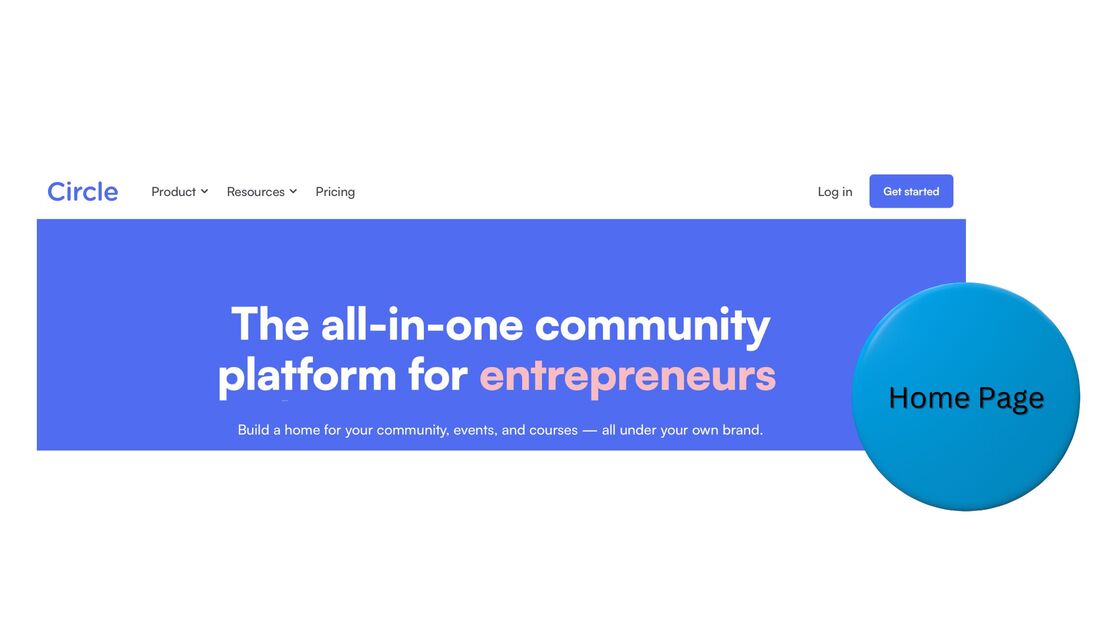 Circle - who is it for?Circle is for businesses of any size that want to create an online community centered around teaching a topic. Share online courses and live streams, conduct 1-on-1 education sessions, and enable members to communicate with you, your team, and each other in discussion forums. Though Circle is an excellent tool for creating a community, it is not an end-to-end system that you can use to run every aspect of an online business. If you want to manage your website and email marketing in the same place as your community, I'd recommend a Circle alternative, such as Kartra. Kartra, however, can be more expensive than Circle, depending on how many community members you have. To keep costs low, you can use Circle to manage your community, while taking advantage of its affordable integration partners to gain additional capabilities. Circle key features
Do any of these features seem like they could help your business? Then try Circle for free, no credit card needed. Circle integrationsYou can connect your Circle account to many sales, marketing, and analytics platforms. Here are just some of the integration partners: Circle pricing
Plans with higher prices come with more features. To learn more about each plan, and begin your free trial, visit the Circle website. Circle - frequently asked questionsIs Circle a good platform?Yes, Circle is a good platform. It lets you easily launch an online community, which you can monetize with paid access to discussion forums, video classes, 1-on-1 education, and more. Circle integrates with various sales, marketing, and analytics apps. What is Circle used for?Circle is used for building an online community focused on the teaching of a topic. Community creators can post online courses, host live streams with Q&As, allow community members to interact with admins and each other on discussion forums, and more. How much does Circle cost?The Basic plan is $49/month. The Professional plan is $89/month, paid yearly, and $99/month, paid monthly. The Business plan is $199/month, paid yearly, and $219/month, paid monthly. The Enterprise plan is $360/month, paid yearly, and $399/month, paid monthly. Can you sell digital products on Circle?Yes, you can sell digital products on Circle. The platform is often used for selling online courses with video, text, audio, and document content. You can charge a one-time, installment, or subscription fee for course access. How can I market a Circle community?To market a Circle community, share free trials and discount codes with your email list and social media followers. If you don't yet have an online audience, consider becoming more active on social media, buying online ads, or both. What are some Circle alternatives?Some Circle alternatives are Skool, MemberPress, and Kartra. Though each platform lets you easily create a paid online community, they have different features, integrations, and pricing. How do I start selling courses?To start selling courses, select a course topic, create the video lessons and supporting content, pick your pricing, and choose a platform to host your content and manage enrollments, such as Circle. Start your Circle free trialIf you think an online community could benefit your business, you have nothing to lose giving Circle a try. Use it for free for 14 days, no credit card needed: This post contains affiliate links.
0 Comments
Skool vs. Kajabi [Read This Before Deciding]Are you considering Skool vs. Kajabi to launch an online community? In this article, I'll help you make your choice, covering the key differences in features and pricing. I'm an online course maker with plenty of experience selling digital content. Though your choice of Skool or Kajabi should, of course, be based on capabilities you need, it should also be based on those you don't. I'm going to help make sure you're not paying for features you're already getting elsewhere, or just have no use for.  Skool vs. Kajabi - quick summaryIf you're just looking to create a quality online community, then Skool is the better choice. Its features for forums and online courses are great, and it costs less than Kajabi. However, if you also need a funnel builder tool, with landing pages and email automation, Kajabi may be better for you. If you want all of the above-mentioned features at a low price, what you can do is use Skool to build your community, and create an account on a very affordable system for landing pages and email automation, such as ConvertKit. Fortunately, Skool and ConvertKit both offer a free trial:  Skool vs. Kajabi - featuresShared featuresHere are the core features that Skool and Kajabi share:
If you want these features at a low monthly price, I recommend Skool. You can try it free. Features Skool lacksKajabi offers various features that Skool lacks, such as:
Though Kajabi is a good service, if you want some, or all, of these features at a lower cost, here are some alternatives... Weebly - websites. ConvertKit - landing pages, email, funnels. HubSpot - landing pages, websites, email, funnels, CRM. Skool vs. Kajabi - pricingSkool pricingSkool has one plan, which costs $99/month. You can create one community, with unlimited courses and members. All features are available. You can try Skool free for 14 days. Kajabi pricing
The pricier a plan, the more features and higher limits it has. To learn more about each plan, visit the Kajabi site: Visit Kajabi Skool vs. Kajabi - frequently asked questionsWhat is a Kajabi alternative?Skool is a Kajabi alternative, which is more affordable at $99/month. Like Kajabi, Skool lets you launch a subscription-based, paid online community with learning content. It lacks certain marketing features that Kajabi has. However, these can be gained elsewhere at a lower price. How much is Kajabi per month?The Kajabi Basic plan is $119/month, paid yearly, and $149/month, paid monthly. The Growth plan is $159/month, paid yearly, and $199/month, paid monthly. The Pro plan is $319/month, paid yearly, and $399/month, paid monthly. Can you build a sales funnel with Kajabi?Yes, you can build a sales funnel with Kajabi. The platform provides tools for creating landing pages, sending emails, and processing online transactions. Do I need a separate website with Kajabi?No, you do not need a separate website if you're using Kajabi to run your online business. The platform lets you launch a full site, with a home page, product pages, and more. You can manage your landing pages, communities, and online courses on the same domain. What is the Skool website?Skool is a platform you can use to create an online community around a chosen topic, with discussion forums and video courses. Community creators can offer membership for free, or charge a monthly subscription fee. Members can access all community content. How much does Skool cost?Skool costs $99/month per community, for their creators. Each community can have unlimited courses and members. Creators can offer membership for free, or charge a custom, monthly subscription fee. What is a paid membership community?A paid membership community is a website, or section of a site, centered around a topic, that members pay a monthly subscription fee to log into. They gain access to discussion forums, where they can interact with each other, and premium content, like video courses, from the community creator. How do I start a membership business?To start a membership business, choose a topic you're knowledgable in and create premium content on it, such as online courses. Pick a platform - like Skool - to share your content, then set a monthly subscription price for access. Use social media and paid ads to drive attention to your content. Try Skool for freeAre you interested in creating an online subscription community? Then take advantage of the free, 14-day trial from Skool: This post contains affiliate links. MemberPress Review [Read This Before Deciding]Are you looking to create and grow an online membership business? MemberPress provides a suite of tools that can help you bring in customers, deliver courses and other types of digital content, manage memberships, and more. I'm an online course maker, with plenty of experience selling digital products. This WordPress membership plugin can be a great choice for many businesses. With my MemberPress review - which covers features, integrations, and pricing - find out if it's right for you.  MemberPress review - quick summaryIf you want to monetize digital content on WordPress, MemberPress is an excellent choice. It has a wide range of features, and very affordable pricing, starting at under $30/month. Plus, you can try it risk-free for 14 days, with a full, money-back guarantee. I recommend you visit their site and give it a shot: 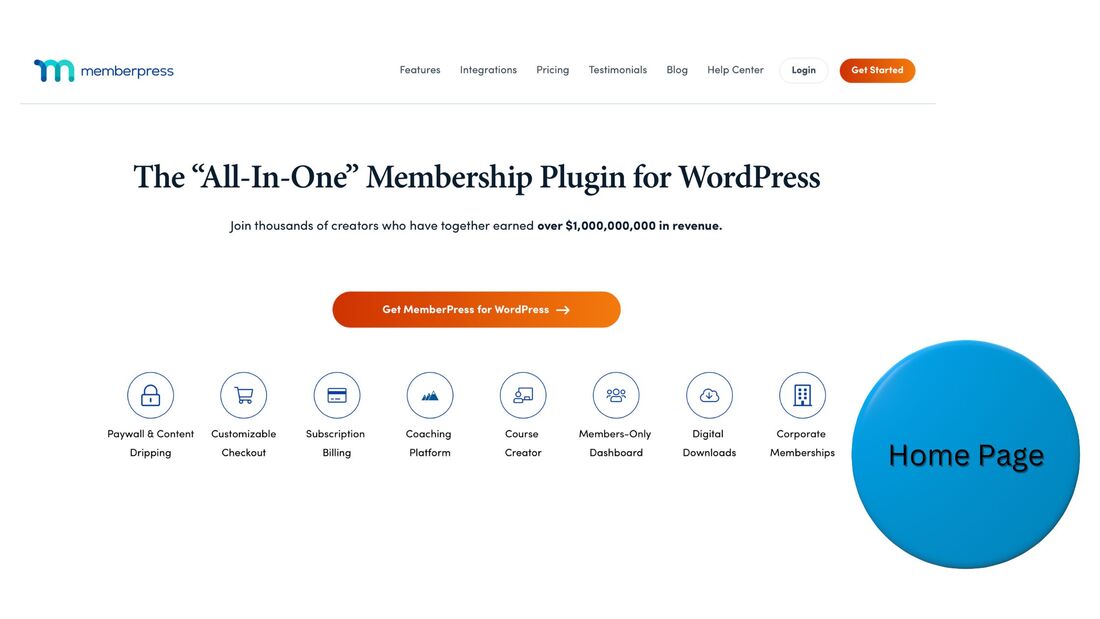 MemberPress - who is it for?MemberPress is for businesses of any size that want to sell digital content for a monthly subscription fee. It's ideal for online course creators, makers of premium PDF or audio files, and organizers of private online communities. The platform works as a WordPress plugin. If you want to start a membership business, but not on WordPress, you should look into a MemberPress alternative, such as Skool. MemberPress key features
Do any of these features seem like they could help your business? Then try MemberPress risk-free. MemberPress integrationsMemberPress integrates with a variety of sales and marketing tools. Here are just some of your options: Are you already using any of these tools? Think you can get more out of them by also selling memberships? Then try MemberPress risk-free. MemberPress pricing
To learn more about each plan, and try MemberPress risk-free, just visit their site. MemberPress - frequently asked questionsWhat is MemberPress used for?MemberPress is a plugin you can use to create a membership site on WordPress. Clients can pay a monthly subscription fee to access premium digital content, such as courses, audio files, forums, and more. Is MemberPress easy to use?Yes, MemberPress is easy to use. You don't need any background in computer programming or graphic design to create a premium-content business with MemberPress. Add and customize your brand's content with a simple WordPress editor. Is the MemberPress plugin free?No, the MemberPress plugin is not free. However, you can try it for 14 days risk-free with a full, money-back guarantee. After the trial, the price is very affordable, starting at under $30 per month. Access features for landing page creation, online course management, and more. Does MemberPress have a free trial?No, MemberPress does not have a free trial, however, they do have a risk-free, 14-day guarantee. Once you subscribe to a plan, which start at under $30 per month, you can try it for up to 14 days, cancel if you'd like, and get a full refund. How do I get started with MemberPress?To get started with MemberPress, you first need a domain managed with WordPress, and hosting. Then, simply visit the MemberPress website, purchase the plugin, and install it within your WordPress site. Once installed, MemberPress will guide you through adding your content. How much does MemberPress cost?MemberPress offers four plans, paid for annually, which come out to about $30, $50, $67, and $83 per month. As plans rise in price, so do the amount of features they have and the number of domains they can be used with. What are some MemberPress alternatives?Some MemberPress alternatives are Skool, Circle, and Kartra. You can build a paid online community with all of them. These platforms can be used outside of WordPress, however, they are more expensive than MemberPress. How do I sell digital content online?To sell digital content online, you need to put the content behind a paywall, which you can do with a membership tool like MemberPress. You then need to market your content. A popular strategy is offering free videos and other kinds of posts on social media to drive interest in paid conversion. Try MemberPress risk-freeIf you want to sell an online course or other type of premium content on WordPress, you should definitely give MemberPress a try. You have nothing to lose with the 14-day, money-back guarantee. This post contains affiliate links. UpViral Review [Read This Before Deciding]Are you looking to grow your email list? UpViral is a tool that can get you great results. It lets you easily create online sweepstakes with viral potential. As people register for your giveaways, they automatically opt into your email list. I'm an author and online course maker with an email list of over 40,000 subscribers. In my UpViral review, learn about the features and pricing of this popular platform, and see if it's right for you.  UpViral review - quick summaryIf you want to quickly grow your email list, with a low cost per lead, then UpViral is well worth its price. You can give away a prize that's relevant to your target customer. As people register for the giveaway, UpViral incentivizes them to share it with their friends, which gains you additional leads at no extra cost. You can try it with a risk-free, 30-day guarantee: 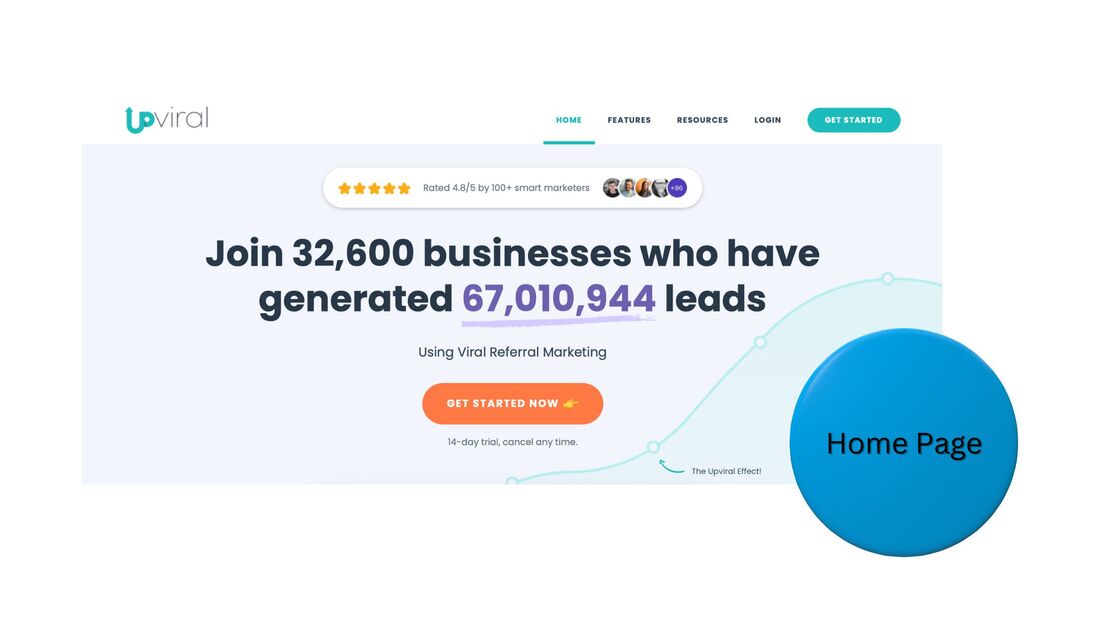 UpViral - who is it for?UpViral is for businesses of any size, in any industry, that use email marketing to promote their products. The software lets them quickly grow their email lists, with targeted leads. The system is not for businesses looking for an email marketing platform. Though UpViral helps grow subscriber count, and does have the ability to send emails, it is not a robust email marketing platform like MailerLite or ConvertKit. Fortunately, UpViral plugs directly into these tools and many like them. You can use it to rapidly increase the size of your list, then use a specialized, third-party software for sending broadcast and automated messages to your subscribers. UpViral - how does it work?
Do you want to try a viral giveaway for your business? Sign up for UpViral risk-free. UpViral featuresPre-optimized giveaway templatesNo need to worry about how to design your giveaway landing page. UpViral offers a library of templates with proven potential to yield a high conversion rate. Custom prizesOffer digital or physical prizes your target customer would be interested in, share the sweepstakes online, and let UpViral incentivize participants to keep sharing it with their friends. Only people interested in the prize will sign up, assuring your new leads are potential customers. End-to-end flowForm submissions, confirmation pages, confirmation emails, and one-click share buttons are all built into your giveaway, no need for your business to create any of these steps from scratch. A/B testingEasily A/B test different versions of your giveaway page to see which converts a higher percentage of visitors into registrants. IntegrationsAs participants register for your giveaway, you can instantly pass their information into your CRM or email marketing platform. Here are just a few of the UpViral integrations: UpViral pricing
You can start on any plan for just $1. For each, you have a 30-day, risk-free guarantee. You have nothing to lose giving UpViral a shot. UpViral - frequently asked questionsWhat is UpViral used for?UpViral is used to grow a business's email list via giveaways that require an email opt-in for entry. The system has a built-in incentive feature that encourages organic sharing, often resulting in a low cost per lead. Lead information can be directly synced with your CRM or email marketing tool. Is UpViral free?No, UpViral is not free. However, you can begin using it for just $1, with a 30-day, risk-free guarantee. After the trial, plans start at $59/month. Due to its ability to quickly add targeted, low-cost leads to a business's funnel, UpViral can be well worth its price. Is UpViral worth the cost?In general, yes, UpViral is worth its cost, which starts at just $59/month. It offers pre-optimized templates for viral giveaways, which have the potential of generating much more than $59 in sales per month, from the new, targeted leads UpViral can direct into a funnel. How do I run a viral giveaway?To run a viral giveaway, choose a prize and use a tool like UpViral to manage registrations. It automatically incentivizes registrants to share the giveaway across social media. To drive initial traffic to your giveaway, share a link via email, social media, and/or paid promotions. Try UpViral risk-freeIf you're using - or plan to use - email marketing as part of your online-promotion strategy, I highly recommend you give UpViral a try: This post contains affiliate links. ClickMagick Review [Read This Before Deciding]Are you looking to increase the profitability of your online ads or posts? ClickMagick is a tool that can help. It ties conversion data to ads and organic content, letting you know what's working and what isn't. I'm an author and online course maker who's run plenty of ads, and put up plenty of posts, for for my books and courses. In my ClickMagick review, learn about the features and pricing of this popular software, and see if it's right for you.  ClickMagick review - quick summaryClickMagick is easy to set up and capable of earning you much more in revenue than it costs. Plans are very affordable, starting at just $69/month. It tracks clicks and conversions from Google, Facebook, email, and many other sources. Try it free: 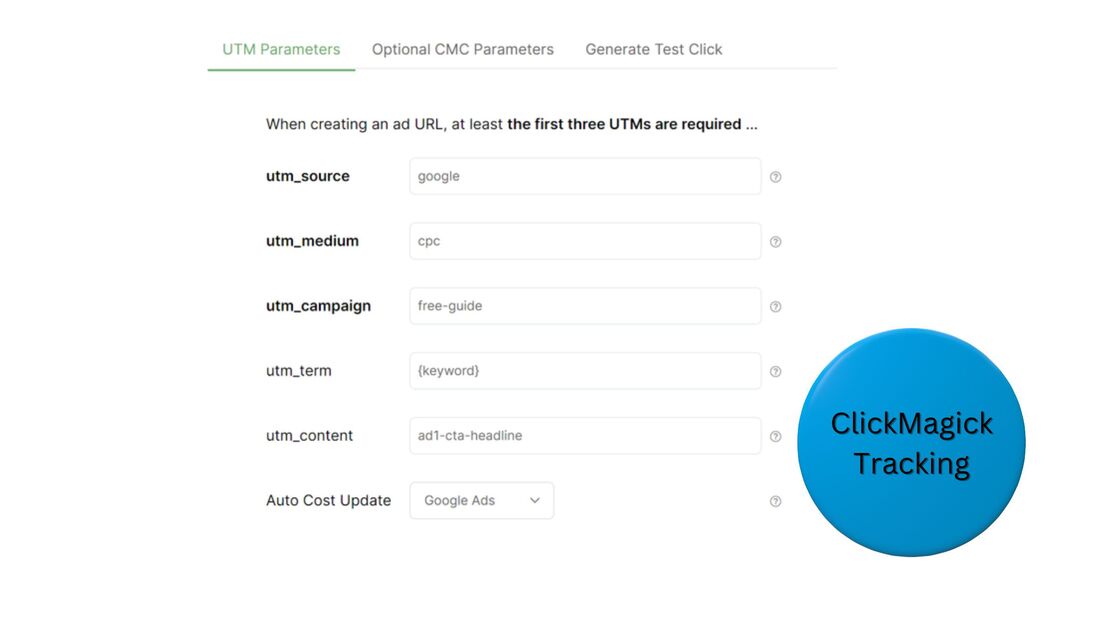 ClickMagick - who is it for?ClickMagick is for businesses of any size that send traffic to landing pages for products or opt-in offers, ex lead magnets. Though the software is primarily for tracking conversions from paid ads, it can also be used to measure conversions from free traffic sources, like emails and social media posts. ClickMagick can tell you what ads and pieces of free content have the highest conversion rates for sales and email opt-ins. You can use the data to invest more resources into the types of promotions that are proven to work well. ClickMagick - why is it needed?Advertising platforms can provide conversion data in their own reports. If you're already receiving this information, you may not believe you need an additional tracking tool. However, according to ClickMagick, this data isn't fully accurate. They aim to give you a more precise picture, with more extensive tracking across time windows and devices. You have nothing losing taking advantage of the free, 14-day trial: ClickMagick - how does it work?After you have your ClickMagick account, create a project in the system, then add a snippet of tracking code to your website. You can easily add the code to any platform for building websites (ex, WordPress or Shopify). You then include UTM (unique tracking module) parameters in the URLs you'll be using to send traffic to your site. The links generated will not be the redirect kind, but instead, the type that access first-party data. Insert these links into your ads and organic content. From there, ClickMagick will handle all measurement and compose comprehensive reports for you, viewable on one dashboard. 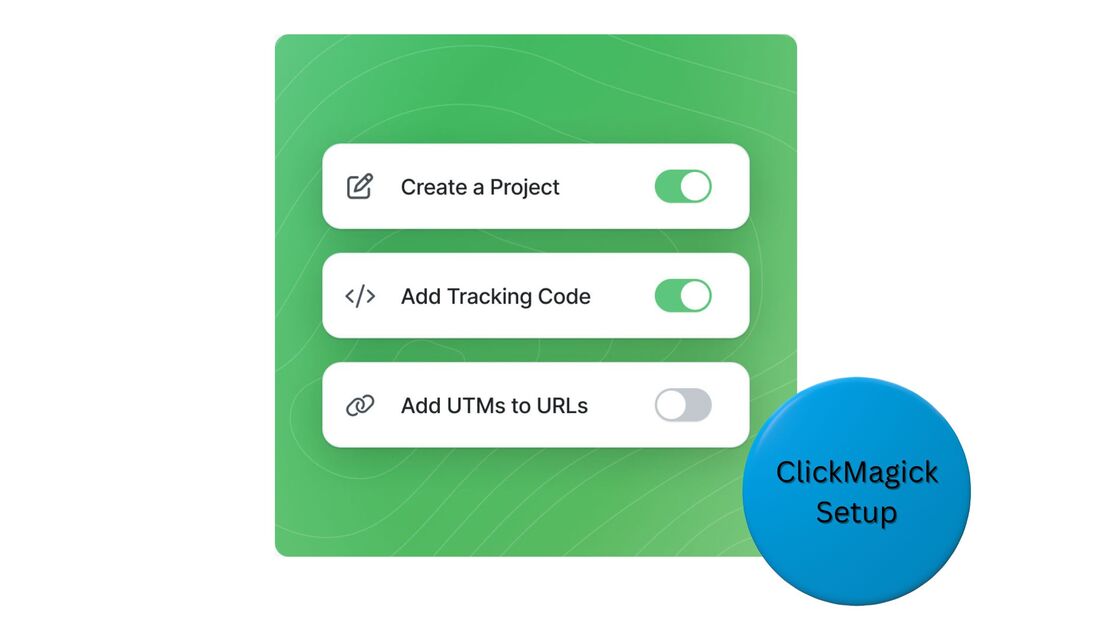 ClickMagick can attribute a click to a conversion regardless of the amount of funnel stages in between, or even the amount of devices a prospect uses during the process. For example, let's say someone initially clicks one of your ad links on a phone, yet doesn't make a purchase right away. A couple days later, the person visits your website on a laptop to learn more about your business. A week after that, the person returns to your site on a tablet to make a purchase. ClickMagick can tie that purchase back to the ad that was seen over a week earlier. Would your business benefit from tracking like this? Then try ClickMagick free. ClickMagick featuresReal-time reportsClickMagick is intended to be your single source for measuring the effectiveness of your paid and organic traffic strategies. Its reporting dashboard provides 24 KPIs for every tracking link you create, such as ROAS (return on ad spend) and AOV (average order value). The data is processed in real time. Better ad targetingMajor advertising platforms like Google and Facebook can analyze data about your existing customers and target your ads to users with similar characteristics, in the hope of bringing you more customers. However, if the data you have on your existing customers isn't accurate, this ad targeting can be off. Since ClickMagick ups the accuracy of your conversion data, when you pass this information to Google, Facebook, and other ad platforms, you can up the success rate of their ad targeting algorithms. Visitor profilesOnce someone clicks any of your tracking links, ClickMagick will create a profile for that visitor. All the person's future engagement within your funnel will automatically be added to the profile. By assessing the engagement profiles of purchasers, you can try to detect patterns. Possibly a high percentage of buyers engage with two certain pieces of content within a week of converting. You may decide to then more prominently feature this content in your funnel. ClickMagick pricing
You have nothing to lose by trying ClickMagick free. ClickMagick - frequently asked questionsIs ClickMagick worth the cost?Yes, ClickMagick is worth the cost. It can let you easily see what ads and other pieces of content are profitable and what aren't. By reallocating budget to profitable traffic sources, you can quickly earn back the cost of ClickMagick, which starts at just $69/month. How does ClickMagick work?You create unique tracking links to your website with UTM parameters, then include those links in your ads, emails, social media posts, and other content. Once people click these links, ClickMagick will track conversions and help determine the profitability of your traffic sources. Where does ClickMagick work?ClickMagick works throughout your marketing ecosystem, by tracking clicks and conversions from ad platforms like Google and Facebook, social networks, emails, PDFs, and many other sources. It tracks engagement across a range of your content, even if it's accessed on different devices. ClickMagick - free trialTake advantage of the free, 14-day trial: This post contains affiliate links. |
 RSS Feed