Optmyzr Review [Read This Before Deciding]Are you looking to boost the ROAS of your PPC campaigns? Optmyzr is a tool that can help. I'm an author and online course maker who's run many ads on Google, Amazon, and Facebook for my books and courses. In my Optmyzr review, learn about the features and pricing of this popular software, and see if it's right for your business.  Optmyzr review - quick summaryIf you're in charge of at least a few thousand dollars of PPC ad spend per month, the ROAS (return on ad spend) increase from Optmyzr can easily surpass its cost, which starts at just $208 per month. Optmyzr has a free, 14-day trial, no credit card required. I suggest you give it a try: Optmyzr - who is it for?Optmyzr is primarily designed for businesses that run a high volume of Google search ads, or agencies that manage Google search ads for clients. The tool will analyze all the ads you're running, across a variety of metrics, and use data insights to help you increase revenue via conversions. Optmyzr's technology also works for ads on Microsoft, Facebook, and Amazon. Though SEM (search engine marketing) ads is the main focus, you can also use the system on shopping and display ads.  Optmyzr - who is it not for?Optmyzr is not for businesses running a low volume of ads. It's also not for businesses looking for a software to increase the ROI of their organic promotion, like SEO or content marketing on TikTok or Instagram. Optmyzr - key features
Do any of these features seem like they could increase revenue for your business? Then try Optmyzr free. Optmyzr - screenshots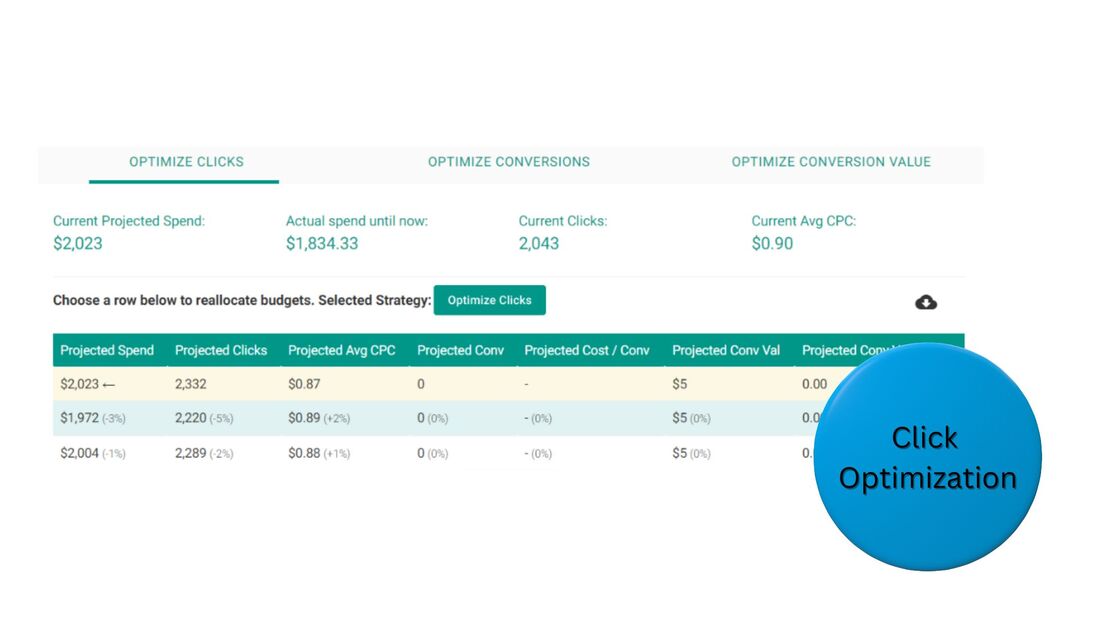 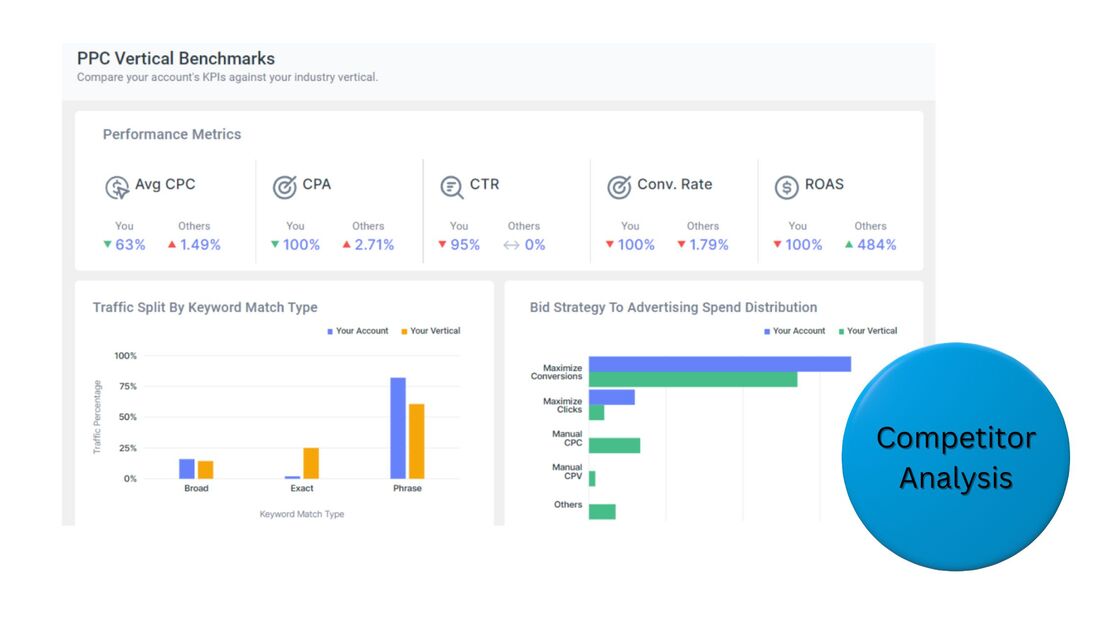 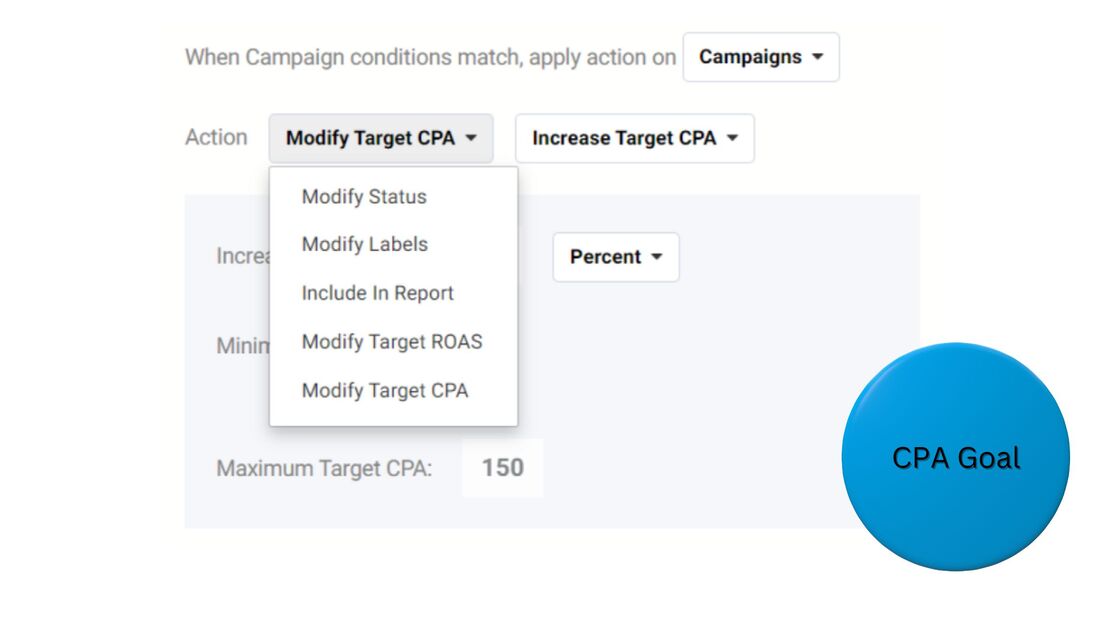 Optmyzr - pricingOptmyzr Core Optmyzr Core is the product for PPC campaign management. You can access it via a subscription, which can be paid for monthly, every 6 months, or annually, in descending order of cost. Your fee is directly related to your monthly ad spend. Plans begin at spend totals up to $10,000 per month, and go up to budgets of up to $500,000. Beyond that level, contact the company for Enterprise pricing. Some budget examples, for certain spend levels, on an annual subscription:
This product does not encompass Amazon ads, which Optmyzr has a separate offering for. Optmyzr for Amazon Ads The Amazon Ads product lets you tap into recommendations for keywords, bids, and budget to boost the performance of your Amazon ads. Like the Core product, you can access it via a subscription, which can be paid for monthly, every 6 months, or annually, with your fee based on your monthly ad spend. Plans range from a spend level of $10,000 per month to $100,000. Past that level, contact the company for Enterprise costs. Some budget examples, for certain spend levels, on an annual subscription:
Campaign Automator Campaign Automator allows you to build campaigns faster, with templates. It can be an add-on to the Core product, or used as a separate service. Plans start at $249/month. To learn more about the products and plans, and begin your free trial, visit the Optmyzr website. Optmyzr - frequently asked questionsWhat does Optmyzr do?Optmyzr leverages performance data from paid advertising campaigns on Google and other platforms to increase the ROAS of users' campaigns. Optmyzr can automatically adjust campaign settings or make recommendations that users can manually carry out. Is Optmyzr worth the cost?If you're running at least a few thousand dollars in PPC ads per month, then yes, Optmyzr is worth the cost. It's designed to boost ROAS, and plans start at just $208 per month. Optmyzr's recommendations can easily earn you more than its cost, via increased revenue from ads. How do you make money with PPC marketing?To make money with PPC marketing, drive traffic to a product sales page that generates more revenue than the total cost of your ads, or drive traffic to a lead-generation page and use email marketing to convert leads into customers that eventually outspend the cost of your ads. Is PPC marketing worth the cost?Yes, PPC marketing is worth the cost. A major advantage of these campaigns is your ability to target prospects at a specific stage of your marketing funnel based on their search engine inputs, then link to landing pages that are relevant to that stage. How do you increase the profitability of PPC marketing?To increase the profitability of PPC marketing, use a tool like ClickMagick to determine your most profitable ads and a tool like Optmyzr to refine them. Turn off low-performing ads. A/B test elements on the landing pages your ads direct to, and update them to boost conversions. To begin increasing the profitability of your PPC ads today, start your free Optmyzr trial. This post contains affiliate links.
0 Comments
Landingi Review [Read This Before Deciding]Are you looking to boost leads and sales? Great landing pages can make the difference. I'm an author who's used landing pages to grow my email list to over 40,000 subscribers, and sell enough books to hit #1 on multiple Amazon bestseller lists. In my Landingi review, learn about the features, integrations, and pricing of this popular landing page builder, and see if it's right for you.  Landingi review - quick summaryLandingi is a powerful tool for creating high-converting landing pages, even if you lack a background in computer programming or graphic design. Though Landingi doesn't offer CRM, email marketing, or payment processing, it easily integrates with partners that do. Plus, Landingi very affordable. Try it free: Landingi - who is it for?Landingi is for any business that wants to generate more leads or sales online, regardless of industry. You can browse over 300 landing page templates and easily customize them for your brand. The tool is also for marketing agencies that want to manage pages for multiple clients. Certain templates are optimized for lead collection. For instance, you can offer something of value for free in exchange for an email address. Other templates are optimized for sales, ie, you can promote a product and allow people to purchase it online. Landingi also has a wide range of confirmation-page templates, which you can use to share follow-up steps with leads or upsell offers with customers. 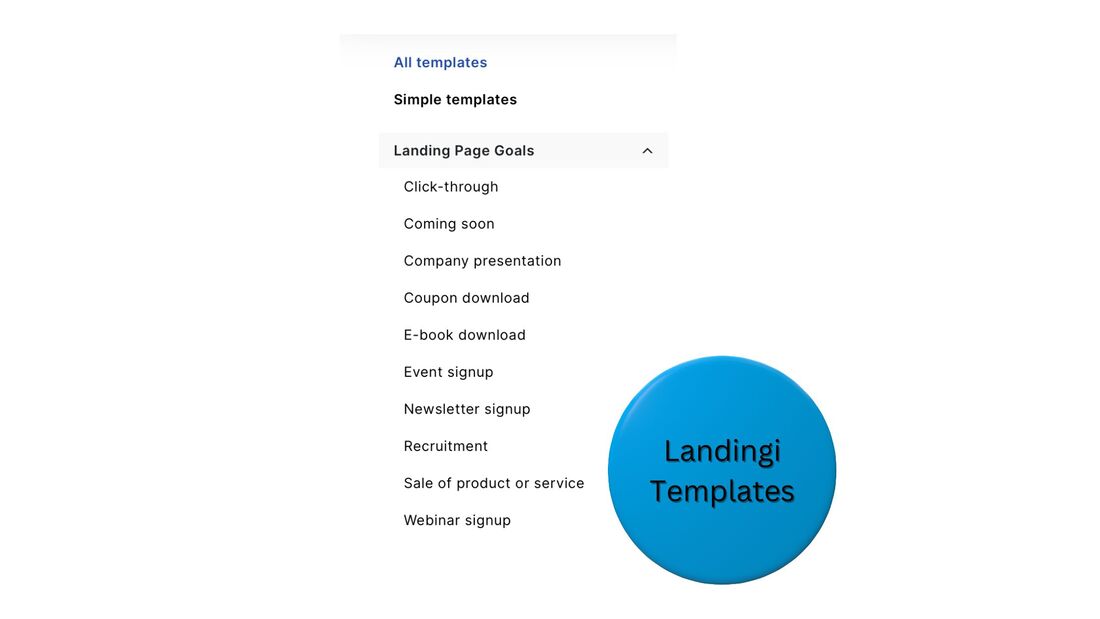 Landingi - who is it not for?Landingi is not for companies that want to do all of their online marketing on one platform. It is a specialized tool for landing pages. However, due to its narrow focus, it is more affordable than all-in-one platforms. And, it syncs with many other tools. Though you can't manage an end-to-end marketing strategy just on Landingi, you can use it as a key element of your strategy, alongside partner systems. Landingi - core features
Do you want to increase leads and sales for your business? You have nothing to lose giving Landingi a try. Landingi - integrationsMarketing toolsWhen you collect lead information with Landingi - like names, email addresses, and phone numbers - you can instantly send it to your CRM or email-marketing platform. Some top-tier marketing platforms that sync with Landingi: Payment processorsYou can sell products directly from Landingi pages if you integrate your account with a payment-processing partner. Choose from:
Landingi - pricing
Landingi offers a 14-day free trial and 30-day money-back guarantee. Landingi - frequently asked questionsWhy do people use landing pages?People use landing pages for two major reasons - to collect more leads or sell more products. A landing page is a specialized web page that encourages visitors to submit their email address, becoming a lead, or purchase a product. What makes the best landing pages?The best landing pages have a high conversion rate, ie, they convince many visitors to complete an action on the page, typically filling out a lead form or buying a product. Various factors can improve conversion rate, such as a catchy headline, testimonials, and a limited-time offer. How much should a landing page cost?Landing page templates, and the ability to customize them, can be accessed with a subscription to a landing page builder service, which typically costs anywhere from $30 to $300 per month. Prices vary based on how many other marketing tools a platform offers. Should I build a landing page or website?For strong marketing results, you should build a website for your business and create dedicated landing pages for specific offers. Though landing pages are great for generating leads and sales, they can't do everything a website can. Can I build a landing page for free?Yes, you can build a landing page for free. Certain landing page tools, like Landingi, offer a free plan. However, free plans tend to have low limits on the number of pages you can create and the number of visits they can receive each month. How do I get people to my landing page?You can pay to get people to your landing page with ads on platforms like Google and Facebook, or drive free, organic traffic with social networks and email marketing, among other sources. Try Landingi freeReady to start increasing leads and sales? Begin your free Landingi trial: This post contains affiliate links. Skillshare vs. Udemy [Read This Before Deciding]Are you looking for results in a professional or personal undertaking? Do you want to take an affordable online course to get those results? Skillshare and Udemy are two leading online education platforms that can get you what you want. However, they have key differences. In this article on Skillshare vs. Udemy, I go over those differences. See what's right for you, and take your first step toward getting the results you're after.  Skillshare vs. Udemy - quick summarySkillshare and Udemy each offer a subscription plan, with access to unlimited classes. A Skillshare subscription costs less than a Udemy one, about $10 per month vs. about $17. However, Udemy has more courses, plus lets you purchase any individually, without a subscription. You can try both platforms for free: Skillshare vs. Udemy - course selectionSkillshare has over 30,000 courses, while Udemy has over 200,000. Most of Skillshare's classes are on media and publishing topics, such as film, graphic design, and writing. Though Udemy has many classes for these fields, too, it also has a variety on technical topics, like computer programming, cybersecurity, and data science. You can browse the classes on Skillshare and Udemy before you even have an account. If you're hoping to learn about a specific topic, do a search for it on each platform and check out the courses available. If one catches your interest, start the free trial and take it. 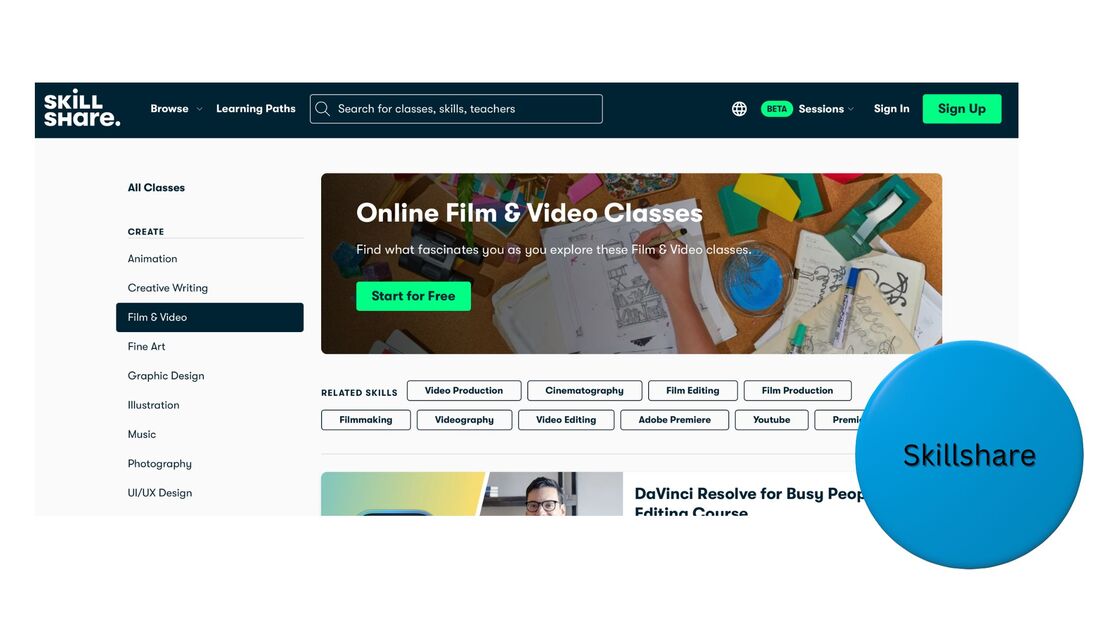 The major course categories on Skillshare:
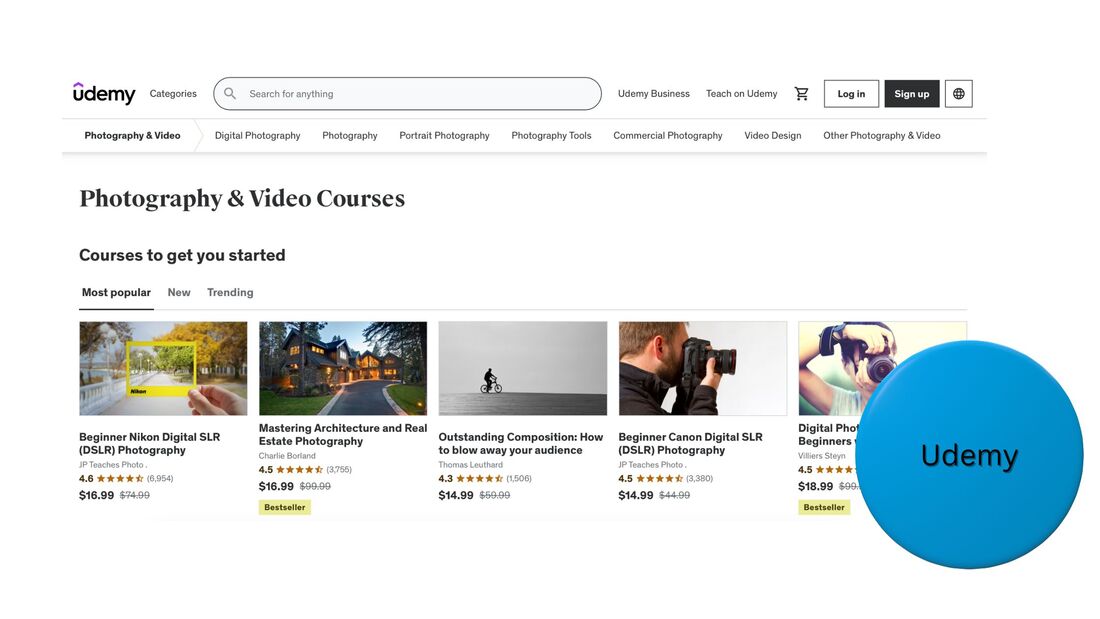 The major course categories on Udemy:
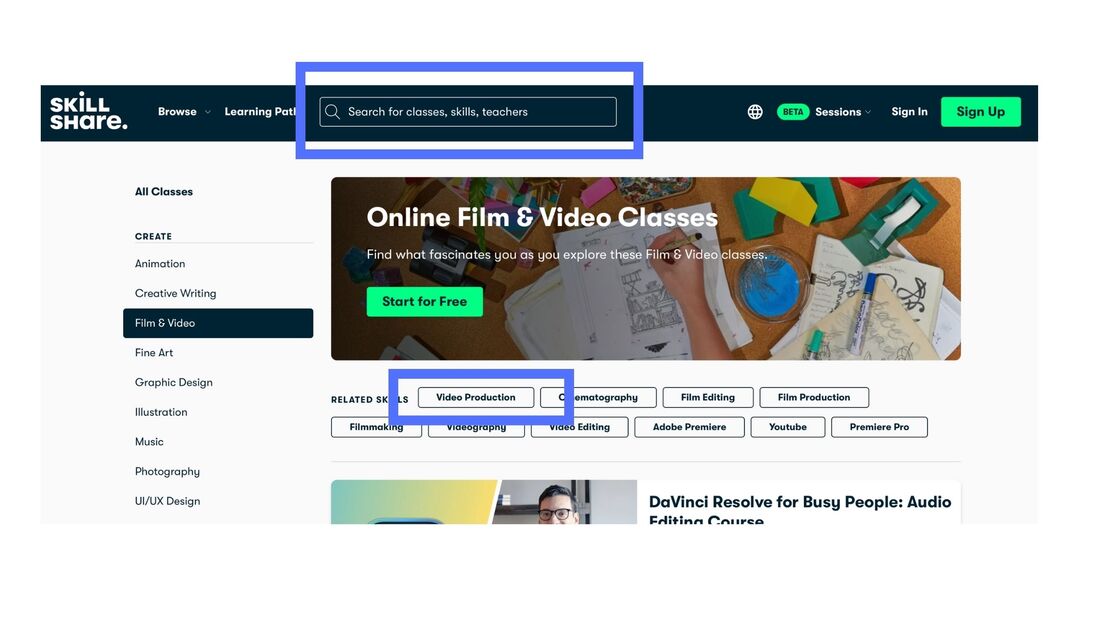 While you're viewing the classes within a Skillshare category, you can click on a sub-category to narrow the results. You also have the option to enter any topic you'd like in the search bar to find courses on it. 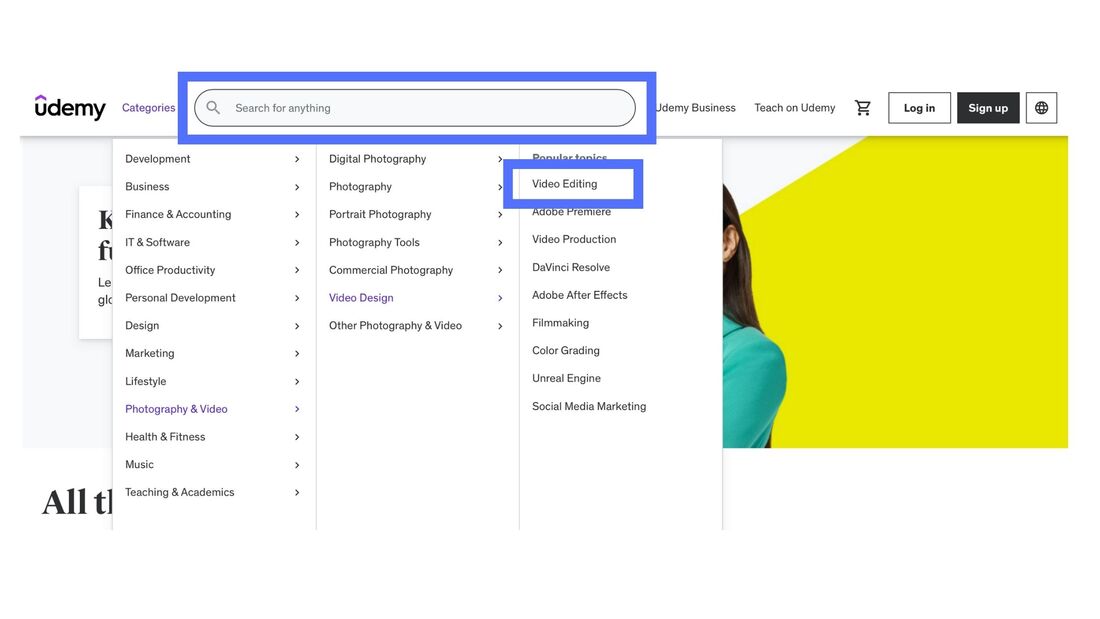 On Udemy, within a category, you can view classes in sub-categories, and sub-sub-categories. You also have the ability to enter any topic you'd like in the search bar to find courses on it. Skillshare vs. Udemy - pricingSkillshare pricingIndividual pricing
Company pricing
Udemy pricingIndividual pricing
Company pricing
Skillshare vs. Udemy - course content
Skillshare vs. Udemy - frequently asked questionsWho are Skillshare and Udemy for?Skillshare and Udemy are for people who want to learn a specific skill, usually to improve their career. Both platforms offer many classes on media and publishing topics, like writing, while Udemy also has a wide range of classes in technical areas, like data science. What are alternatives to Skillshare?Udemy and MasterClass are two leading alternatives to Skillshare. With Udemy, you can purchase individual courses, without buying a subscription. With MasterClass, you can take classes from world-famous experts. Is Skillshare better than Udemy?Neither Skillshare or Udemy is universally better than the other, however, they do have key differences. A Skillshare subscription is over 40% cheaper than a Udemy one. Though both platforms have many courses on media and publishing topics, only Udemy addresses a large range of technical topics. How much does Skillshare cost per month?A Skillshare subscription is free for the first month, then costs $14/month, paid annually. However, with a promotion, you can get Skillshare for 30% off, just $9.80/month. Once subscribed, you can access all the courses on the platform. How much is Udemy a month?An individual Udemy subscription costs $16.58/month, paid monthly. With it, you gain access to over 10,000 classes, however, not every one on the platform. You can purchase any Udemy course individually, with a subscription or not. They start at about $15. Do you keep Udemy courses for life?If you purchase a Udemy course, you gain lifetime access to it. With a Udemy subscription, you can access all courses that are part of the subscription program, as long as you continue paying the monthly fee. Is Udemy worth the price?Yes, Udemy is worth the price. Many courses can be purchased for as low as $15. The skills learned in most classes can be directly applied to careers, resulting in more income. You can easily earn back what you spent on a course, plus much more. Try Skillshare and Udemy for freeReady to get the results you're looking for? Start learning for free on Skillshare and Udemy. This post contains affiliate links. Skillshare vs. MasterClass [Read This Before Deciding]Are you looking for results in a professional or personal undertaking? Do you want to take an affordable online class to get those results? Skillshare and MasterClass are two leading online education platforms that can get you what you want. However, they have important differences. In this article on Skillshare vs. MasterClass, I go over those differences. See what's right for you, and take your first step toward getting the results you're after.  Skillshare vs. MasterClass - quick summaryThe main differences between Skillshare and MasterClass are with instructor notoriety and course variety. MasterClass has more well-known instructors, while Skillshare has many more classes, which can address very narrow sub-topics. You can try Skillshare free for 30 days, while MasterClass has a 30-day, money-back guarantee. I recommend you take advantage of both of these offers to get a better feel for each platform: MasterClass differencesMasterClass is known for its world-famous instructors. All have achieved a level of renown within their field. Though Skillshare's instructors are knowledgeable, most don't have nearly the same level of accomplishment as MasterClass's. On MasterClass, take courses by them and more:
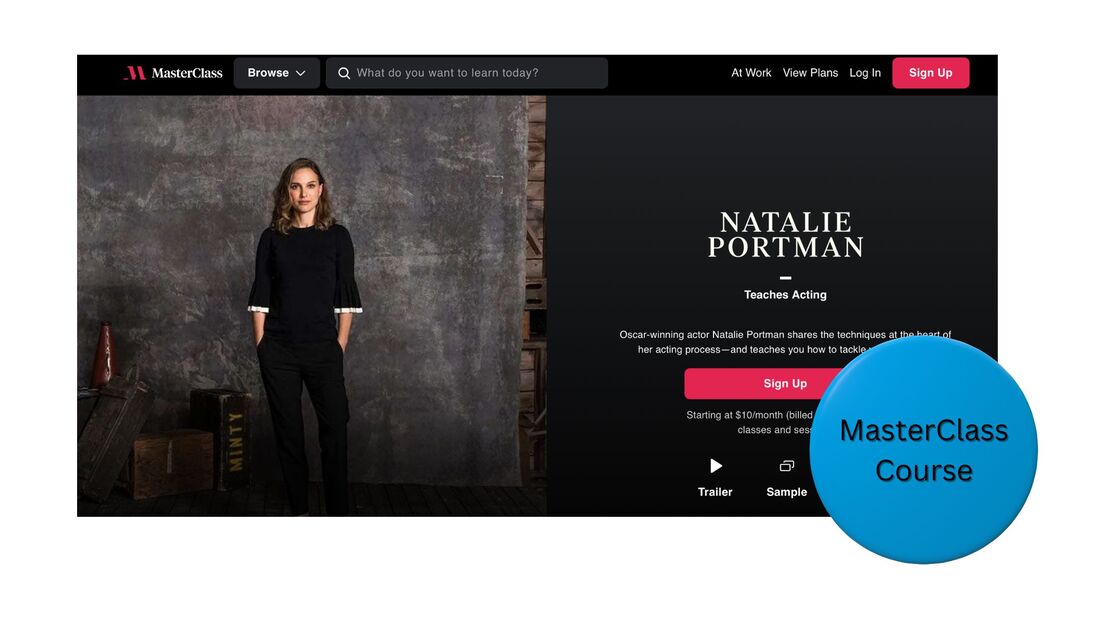 Skillshare differencesMasterClass courses mostly provide high-level information on topics. Skillshare offers similar material, yet also covers many narrow sub-topics in depth. For example, on Skillshare, you can find a high-level class on graphic design, or a deep-dive tutorial on a single graphic-design software. Because it does not only partner with world-famous instructors, Skillshare has a lot more material than MasterClass. Skillshare has over 30,000 courses, while MasterClass has about 200. In addition, Skillshare students have the ability to communicate directly with their instructors, while MasterClass students do not. 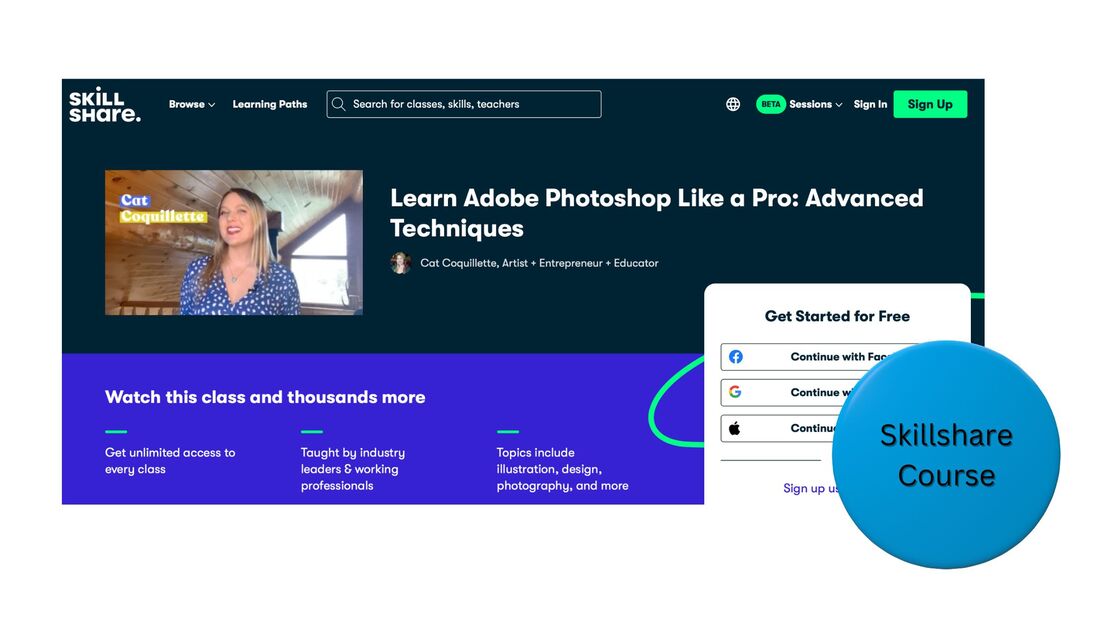 You can use MasterClass and Skillshare togetherThough certain people may only have the budget to choose MasterClass or Skillshare, in theory, you can use both platforms. Actually, I would strongly recommend this. Here is a flow that can be beneficial:
Skillshare vs. MasterClass - pricingSkillshare pricingA Skillshare membership is free for the first month, then typically costs $14/month, billed annually. However, they're currently running a promotion for 30% off. Once you sign up, you immediately gain access to all of the classes. Claim the offer on their site: MasterClass pricingA MasterClass Individual membership costs $10/month, billed yearly. Once you sign up, you instantly get access to all of the courses. They offer a 30-day, money-back guarantee. Sign up for the trial on their site: Skillshare vs. MasterClass - course categoriesSkillshare and MasterClass both offer classes in similar categories, such as:
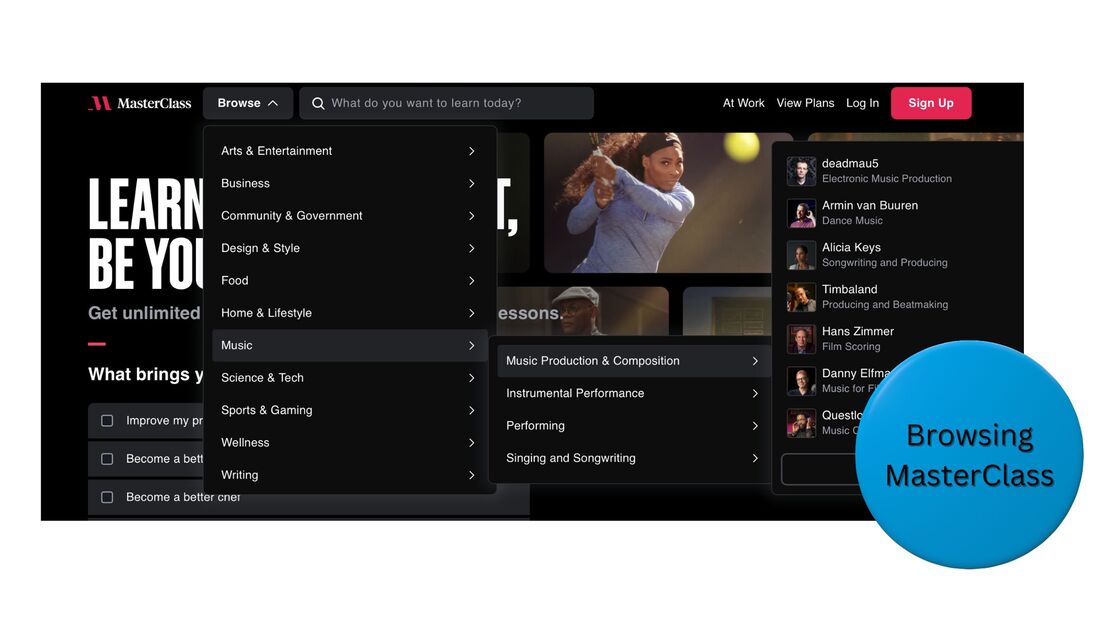
On MasterClass, to find courses, you can browse topics and sub-topics. Some examples:
 On Skillshare, you can browse topics and various levels of sub-topics. For example, within the graphic-design category, you can filter your search to these sub-topics and more:
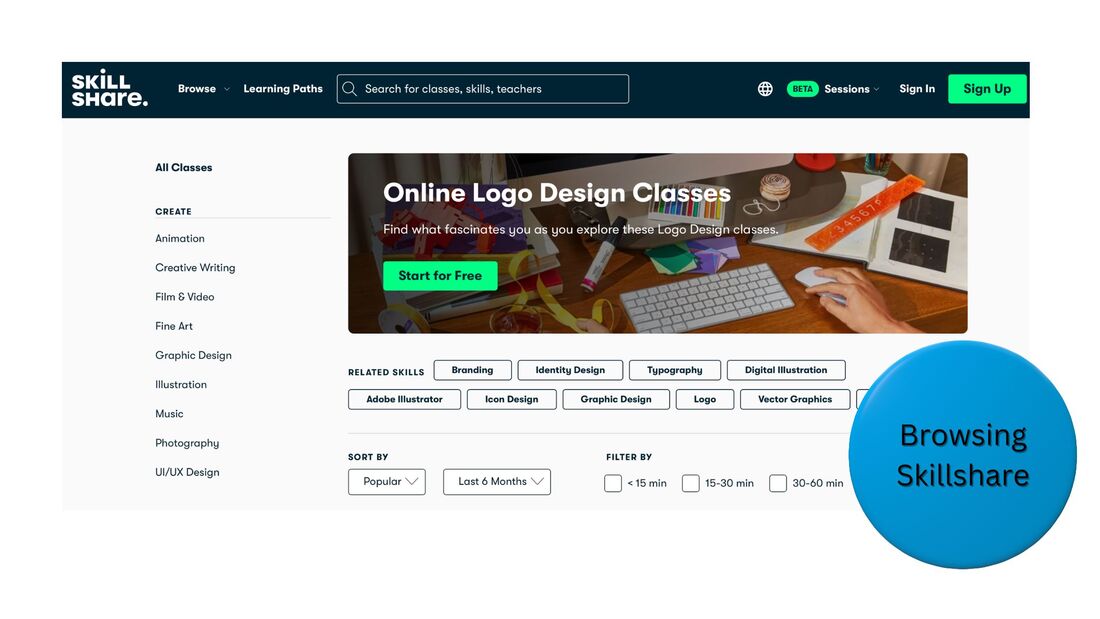 Browse MasterClass and Skillshare for free to see if you can find a course to get you the results you're looking for Skillshare vs. MasterClass - course contentCourses on Skillshare and MasterClass are composed of pre-recorded video lessons, which you can take at your own pace. Videos are typically about 5-15 minutes long. Courses tend to be anywhere from an hour to several hours in length. You can watch these videos on a computer, tablet, or phone. With the Skillshare mobile app, you can use AirPlay or Chromecast to watch lessons on a TV. To view MasterClass videos on a TV, log into its app for Apple TV, Amazon Fire TV, Roku, LG, or Android TV. Certain classes have supporting content, such as PDF downloads. Various Skillshare classes have projects, where students can apply their learned skills and receive feedback from the instructor. With MasterClass, students don't directly communicate with their instructor. Skillshare vs. MasterClass - frequently asked questionsIs Skillshare or MasterClass better?Neither Skillshare or MasterClass is universally better than the other, however, the two learning platforms do have differences. MasterClass features world-famous instructors discussing topics at a high level, while many Skillshare classes cover narrow subjects in depth. Is MasterClass valuable?Yes, MasterClass is valuable. The learning platform offers lessons in various fields from world-famous experts. For example, MasterClass writing courses are taught by Aaron Sorkin, David Baldacci, Neil Gaiman, and other renowned writers. Is Skillshare actually useful?Yes, Skillshare is useful. It offers over 30,000 courses, many of them detailed tutorials on very narrow topics, taught by experts. With various classes, Skillshare students can communicate directly with their instructors. What are Skillshare alternatives?MasterClass and Udemy are two leading alternatives to Skillshare. With MasterClass, you can learn from world-famous experts. With Udemy, you can buy individual courses, without purchasing a subscription. Try Skillshare and MasterClassYou have nothing to lose trying Skillshare for free, or MasterClass risk-free, with the 30-day, money-back guarantee. This post contains affiliate links. Thrive Themes Review [Read This Before Deciding] Are you looking to create and grow an online business on WordPress? Thrive Themes provides a suite of tools that can help you launch a great site, generate leads, and convert those leads into paying customers. This package of plugins can be a great choice for many businesses. With this Thrive Themes review - where I go over features, integrations, and pricing - find out if it's right for you.  Thrive Themes review - quick summaryThrive Themes instantly upgrades the website-builder tool that comes with WordPress, and offers you many plugins to optimize an online sales funnel, which you can use without programming or graphic-design experience. Plus, Thrive is very affordable. Plans start at less than $25/month. You can try Thrive risk-free, with a 30-day, money-back guarantee: Thrive Themes - who is it for?Thrive is for anyone who wants to start an online business on WordPress, and gain access to individual or bundled marketing-funnel plugins. You can use Thrive to market and sell digital or physical products. It directly integrates with WooCommerce, making it a fit for e-commerce stores of any size. A single-business plan is offered, which you can use for up to 5 websites. An agency plan is also an option, usable for up to 50 sites. Thrive Themes - who is it not for?Thrive is not for businesses that want to launch an online presence outside of WordPress. Thrive Themes - core featuresWebsite builderThrive Theme Builder lets you launch a website in less than 15 minutes, with responsive design. It provides many pre-optimized templates for your site's pages, and a visual, drag-and-drop editor that lets you easily customize any page with content blocks. Create home pages, product pages, blogs, and more. 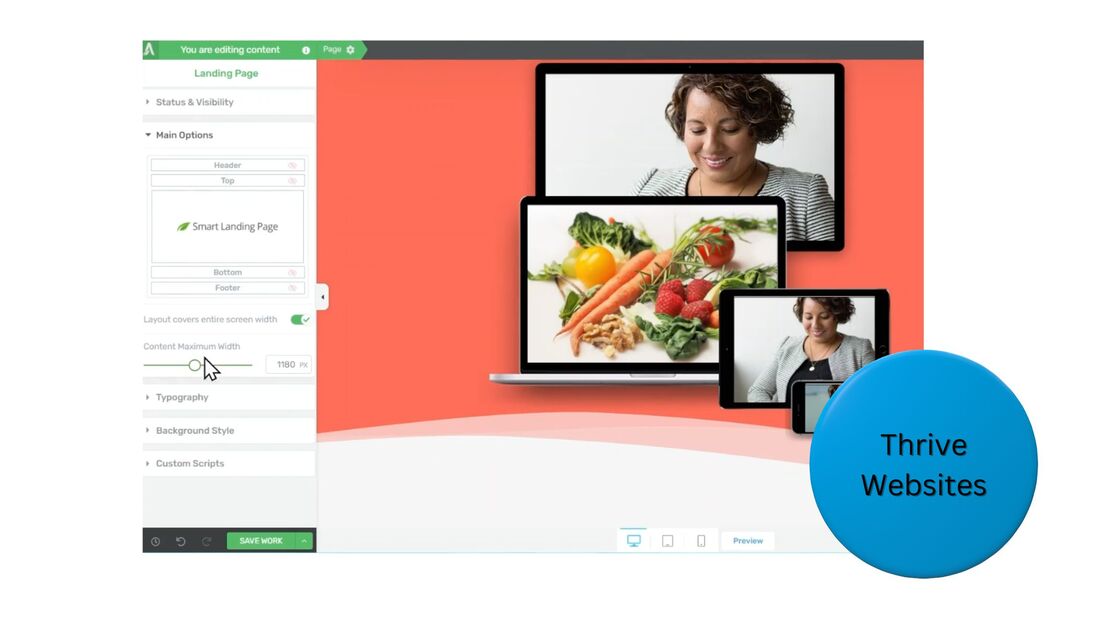 Landing pagesThrive Architect has a specialized library of over 200 landing page templates, pre-optimized for conversions, in addition to funnel packs, with landing, upsell, and confirmation pages. Easily A/B test whatever you build with Thrive Optimize. On your landing pages, generate leads or sell products. Lead forms sync with major CRM and email-marketing platforms, while product pages sync with WooCommerce, enabling you to process credit card payments online. 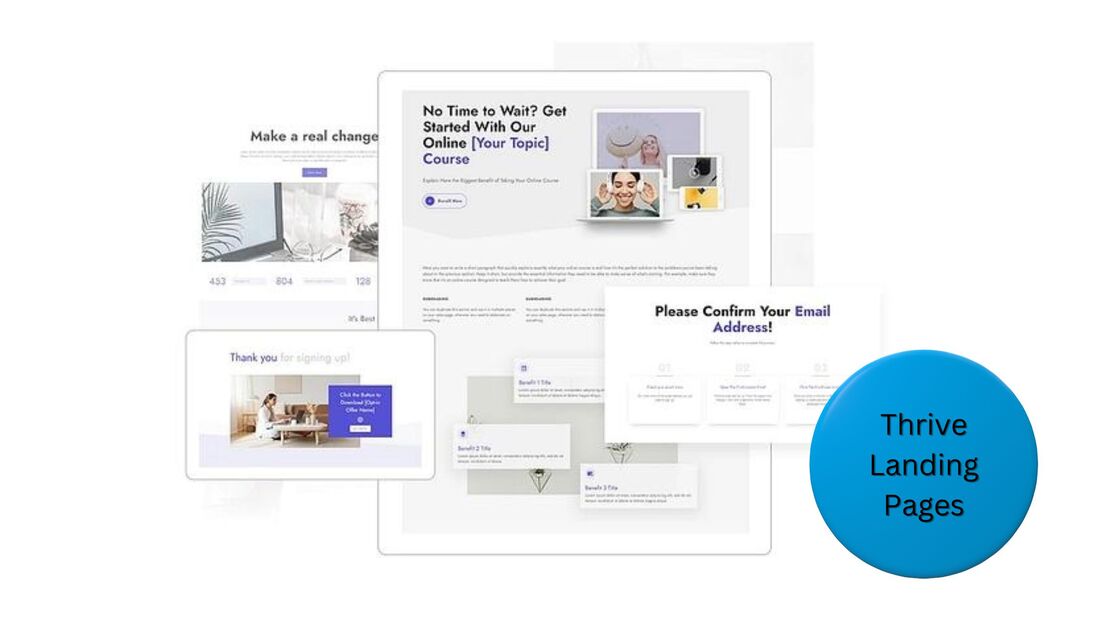 Think a Thrive website or landing page could help your business? You have nothing to lose with a risk-free trial. Lead formsThrive Leads lets you add a variety of targeted opt-in forms to any website page to help you collect more email addresses. Promote lead magnets with exit-intent popups, inline forms, and more. Grab your visitors' attention with your offers, and receive email addresses in exchange for digital content. 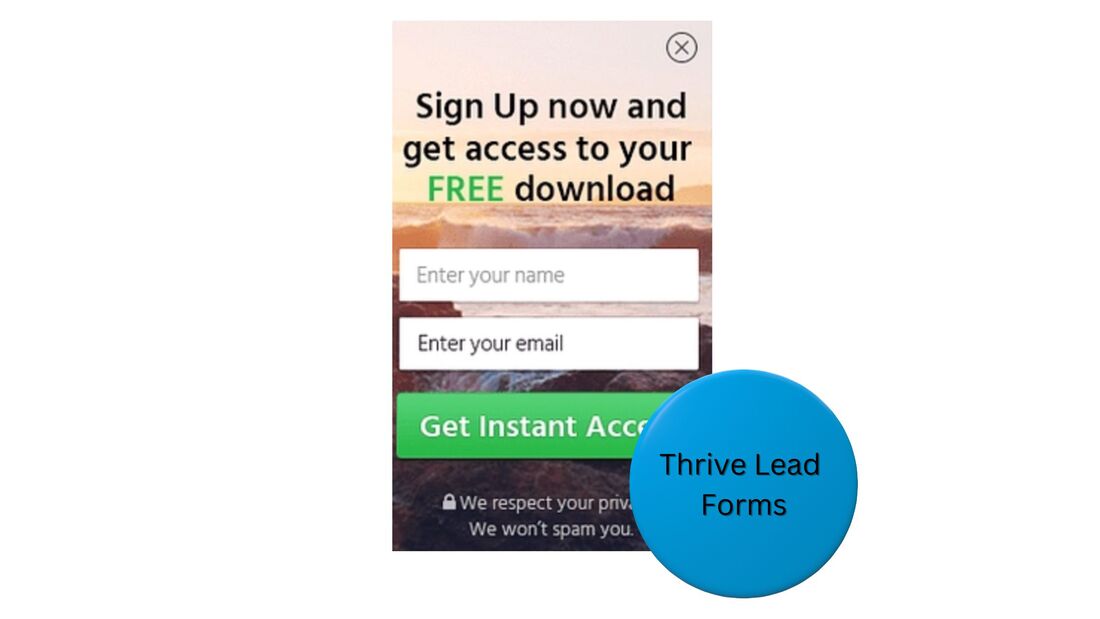 Quizzes and surveysWith Thrive Quiz Builder, create quizzes and surveys with business goals in mind. The answers people submit can segment them into prospect groups and help you sell them relevant products. Since participants frequently share quizzes and surveys on social media, they can drive free traffic to your site, too. 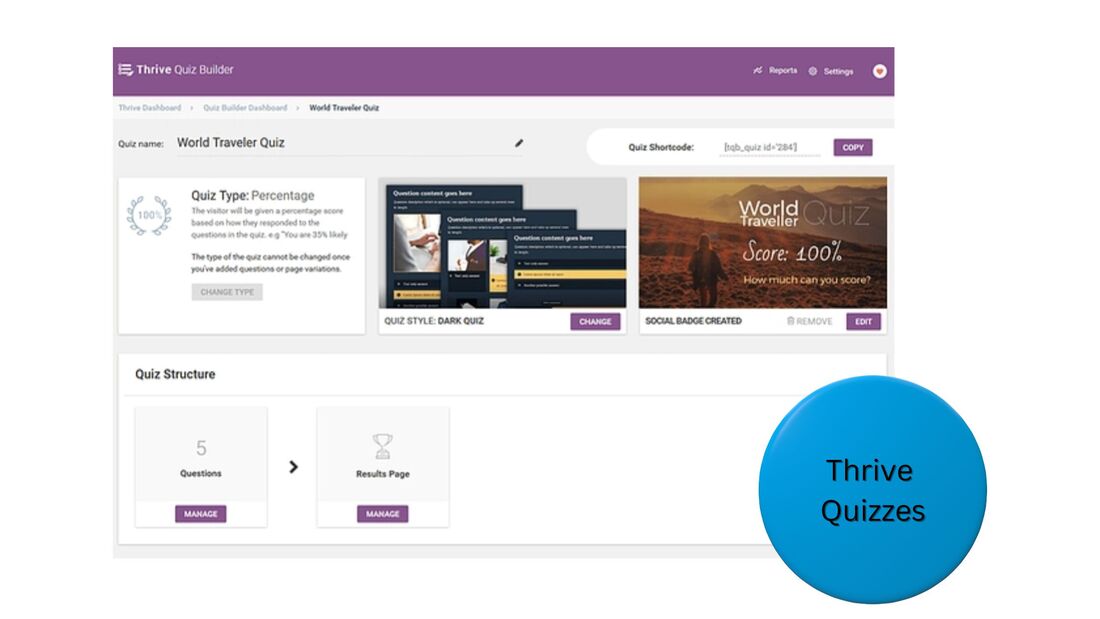 Courses and membershipsIf your business plans to sell online courses, or access to premium membership content, you can use Thrive Apprentice to create the material, market it, deliver it, and manage enrollments. 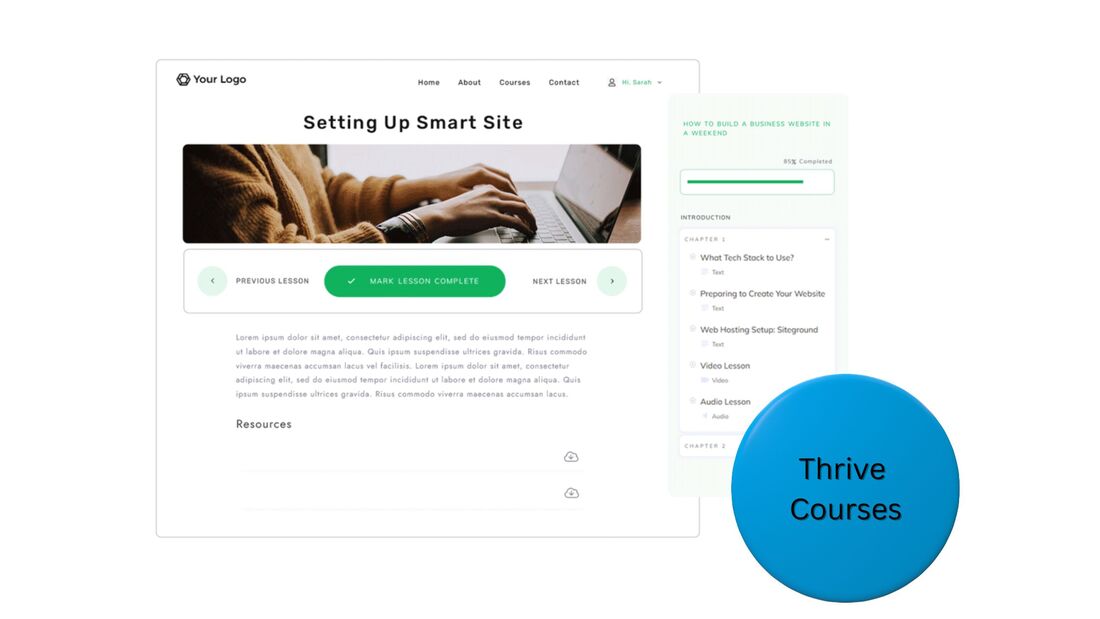 Thrive Themes - additional features
Thrive Themes - integrationsThrive has direct integrations with leading tools for email marketing, CRM, and more, such as: In addition, sites or pages built with Thrive also work with WordPress's gigantic selection of plugins from other software providers. Thrive Themes - pricingThrive's plugins can be purchased individually for $49 - $149 per year, and be used on 1 site. However, for a very low price, you can buy access to Thrive's entire suite of digital tools, and use them on up to 5 sites.
If you just need 1-2 specific tools, go ahead and get them. However, if at least 3 tools seem appealing to you, the full-suite purchase can make sense. For the vast majority of cases, I'd recommend you get the full suite. Thrive for agencies, usable on up to 50 sites, is $599 per year. To learn more about the purchase options, and start taking advantage of the risk-free, 30-day trial, just visit the Thrive site: Thrive Themes - frequently asked questionsWhat is the difference between Thrive Theme Builder and Thrive Architect?Thrive Theme Builder provides templates and a visual editing tool to build a website, while Thrive Architect provides templates and a visual editing tool for creating landing pages, a specialized type of page to collect lead information or sell a product. Is Thrive a good company?Yes, Thrive is a good company. They offer a suite of plugins to launch a high-converting marketing funnel, at a very affordable price. Tens of thousands of businesses use Thrive to manage their websites, lead forms, and more. Is Theme Builder free?No, Thrive Theme Builder is not free. However, you can try it risk-free with a 30-day, money-back guarantee. After the trial period, you can purchase Thrive Theme Builder for a very affordable price, just $99 per year. What are the cons of Thrive Architect?Thrive Architect is a great plugin for creating high-converting landing pages at a very affordable price, but the tool can only be used on WordPress, and does not have its own systems for email marketing or payment processing. However, Thrive easily integrates with providers of these services. Try Thrive Themes risk-freeIf you're looking to build an online business on WordPress, you have nothing to lose taking advantage of the 30-day, money-back guarantee from Thrive Themes: This post contains affiliate links. |
 RSS Feed