Optmyzr Review [Read This Before Deciding]Are you looking to boost the ROAS of your PPC campaigns? Optmyzr is a tool that can help. I'm an author and online course maker who's run many ads on Google, Amazon, and Facebook for my books and courses. In my Optmyzr review, learn about the features and pricing of this popular software, and see if it's right for your business.  Optmyzr review - quick summaryIf you're in charge of at least a few thousand dollars of PPC ad spend per month, the ROAS (return on ad spend) increase from Optmyzr can easily surpass its cost, which starts at just $208 per month. Optmyzr has a free, 14-day trial, no credit card required. I suggest you give it a try: Optmyzr - who is it for?Optmyzr is primarily designed for businesses that run a high volume of Google search ads, or agencies that manage Google search ads for clients. The tool will analyze all the ads you're running, across a variety of metrics, and use data insights to help you increase revenue via conversions. Optmyzr's technology also works for ads on Microsoft, Facebook, and Amazon. Though SEM (search engine marketing) ads is the main focus, you can also use the system on shopping and display ads. 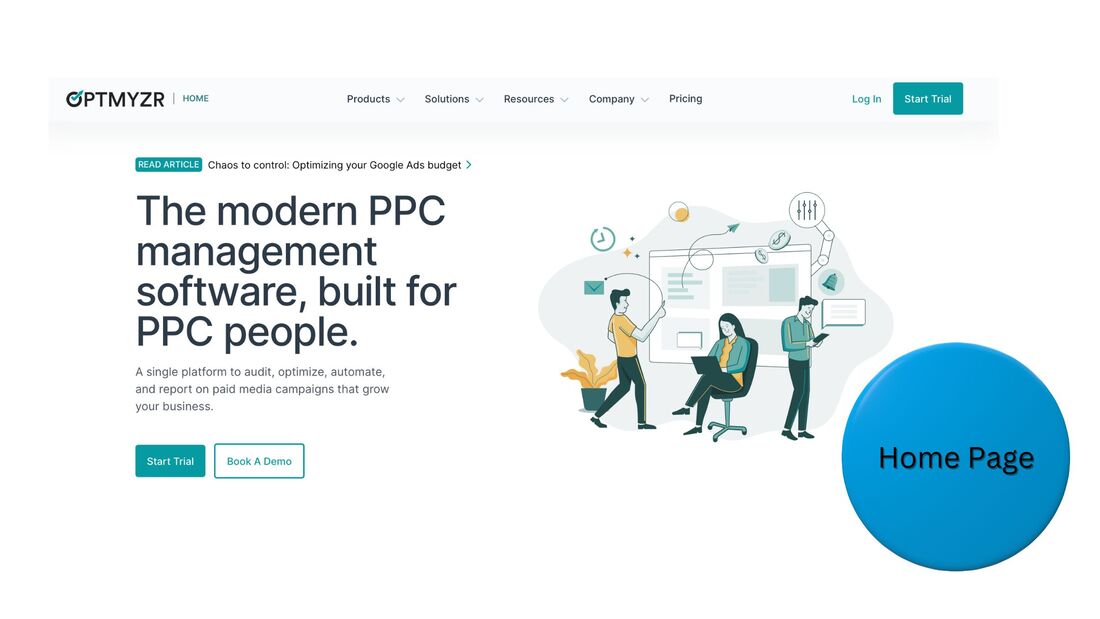 Optmyzr - who is it not for?Optmyzr is not for businesses running a low volume of ads. It's also not for businesses looking for a software to increase the ROI of their organic promotion, like SEO or content marketing on TikTok or Instagram. Optmyzr - key features
Do any of these features seem like they could increase revenue for your business? Then try Optmyzr free. Optmyzr - screenshots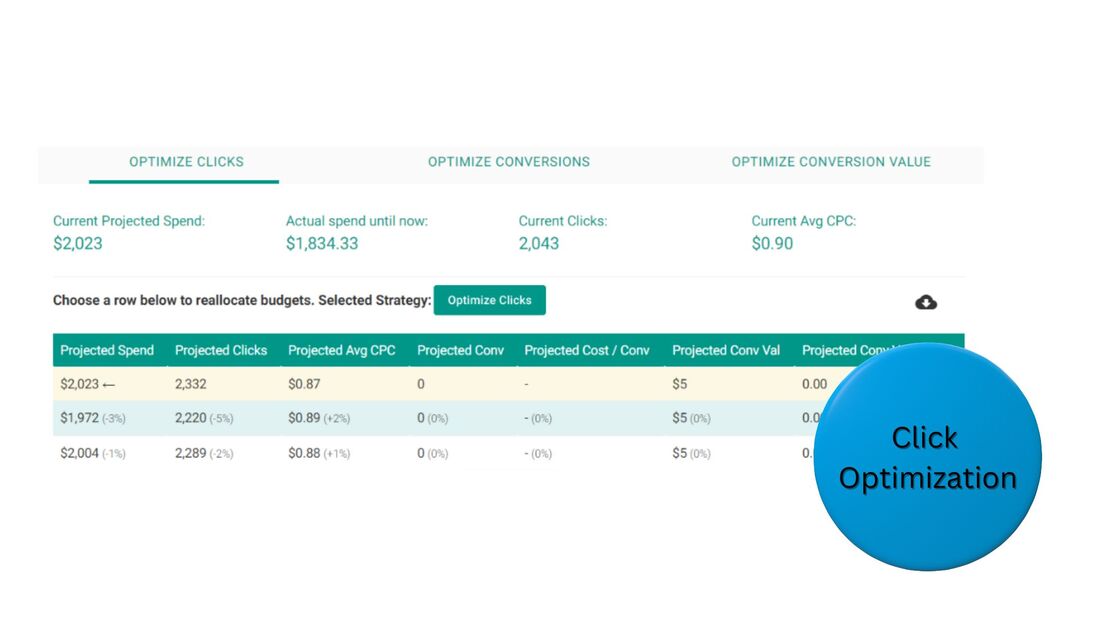 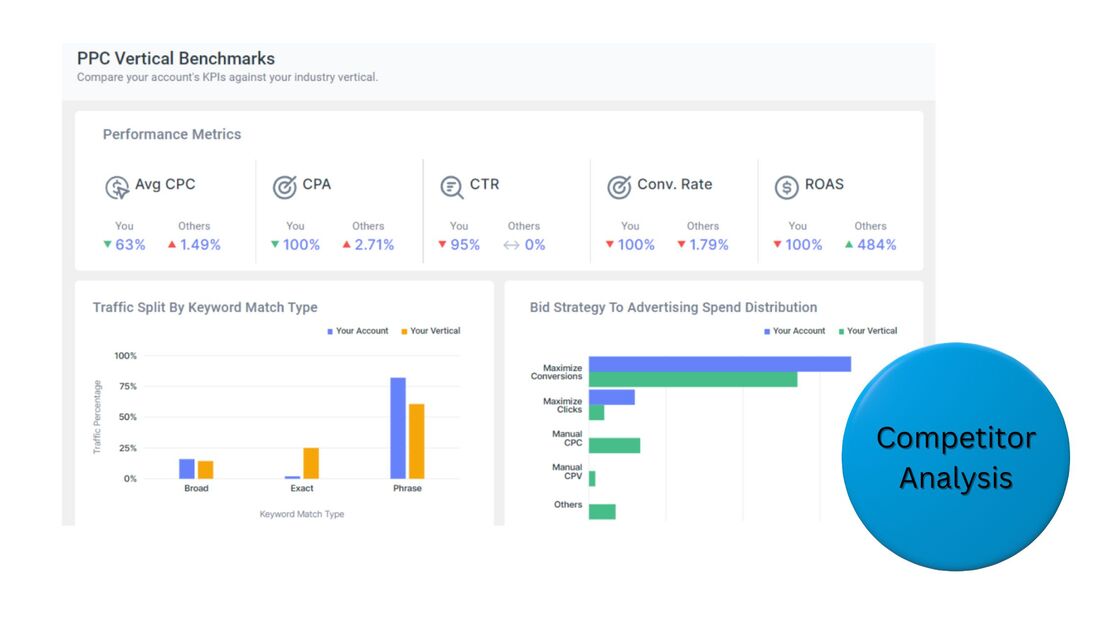 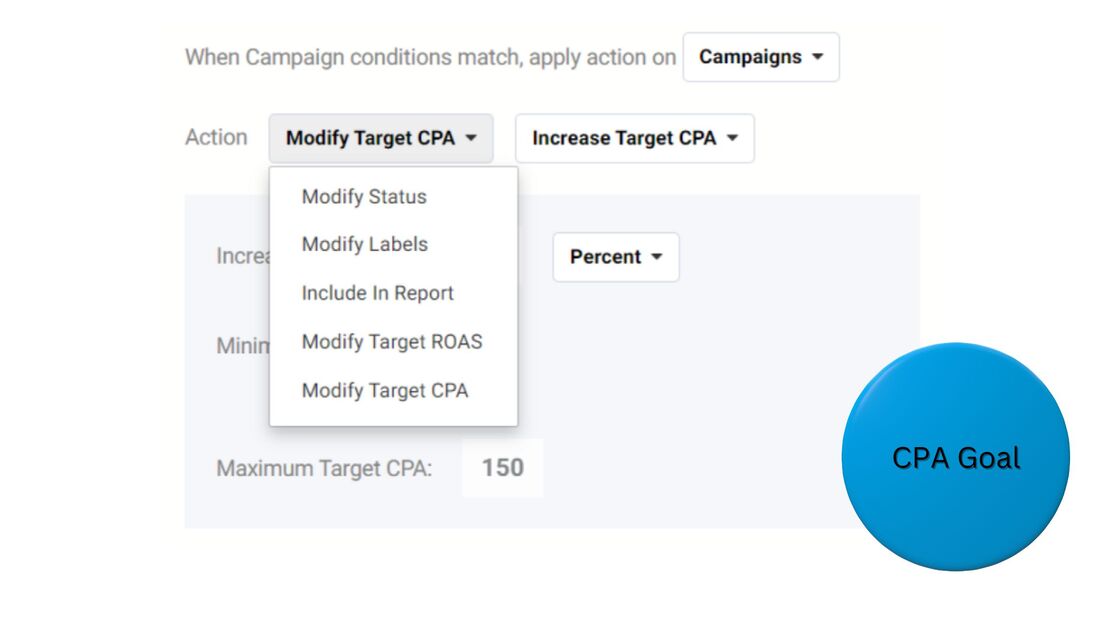 Optmyzr - pricingOptmyzr Core Optmyzr Core is the product for PPC campaign management. You can access it via a subscription, which can be paid for monthly, every 6 months, or annually, in descending order of cost. Your fee is directly related to your monthly ad spend. Plans begin at spend totals up to $10,000 per month, and go up to budgets of up to $500,000. Beyond that level, contact the company for Enterprise pricing. Some budget examples, for certain spend levels, on an annual subscription:
This product does not encompass Amazon ads, which Optmyzr has a separate offering for. Optmyzr for Amazon Ads The Amazon Ads product lets you tap into recommendations for keywords, bids, and budget to boost the performance of your Amazon ads. Like the Core product, you can access it via a subscription, which can be paid for monthly, every 6 months, or annually, with your fee based on your monthly ad spend. Plans range from a spend level of $10,000 per month to $100,000. Past that level, contact the company for Enterprise costs. Some budget examples, for certain spend levels, on an annual subscription:
Campaign Automator Campaign Automator allows you to build campaigns faster, with templates. It can be an add-on to the Core product, or used as a separate service. Plans start at $249/month. To learn more about the products and plans, and begin your free trial, visit the Optmyzr website. Optmyzr - frequently asked questionsWhat does Optmyzr do?Optmyzr leverages performance data from paid advertising campaigns on Google and other platforms to increase the ROAS of users' campaigns. Optmyzr can automatically adjust campaign settings or make recommendations that users can manually carry out. Is Optmyzr worth the cost?If you're running at least a few thousand dollars in PPC ads per month, then yes, Optmyzr is worth the cost. It's designed to boost ROAS, and plans start at just $208 per month. Optmyzr's recommendations can easily earn you more than its cost, via increased revenue from ads. How do you make money with PPC marketing?To make money with PPC marketing, drive traffic to a product sales page that generates more revenue than the total cost of your ads, or drive traffic to a lead-generation page and use email marketing to convert leads into customers that eventually outspend the cost of your ads. Is PPC marketing worth the cost?Yes, PPC marketing is worth the cost. A major advantage of these campaigns is your ability to target prospects at a specific stage of your marketing funnel based on their search engine inputs, then link to landing pages that are relevant to that stage. How do you increase the profitability of PPC marketing?To increase the profitability of PPC marketing, use a tool like ClickMagick to determine your most profitable ads and a tool like Optmyzr to refine them. Turn off low-performing ads. A/B test elements on the landing pages your ads direct to, and update them to boost conversions. To begin increasing the profitability of your PPC ads today, start your free Optmyzr trial. This post contains affiliate links.
0 Comments
Landingi Review [Read This Before Deciding]Are you looking to boost leads and sales? Great landing pages can make the difference. I'm an author who's used landing pages to grow my email list to over 40,000 subscribers, and sell enough books to hit #1 on multiple Amazon bestseller lists. In my Landingi review, learn about the features, integrations, and pricing of this popular landing page builder, and see if it's right for you.  Landingi review - quick summaryLandingi is a powerful tool for creating high-converting landing pages, even if you lack a background in computer programming or graphic design. Though Landingi doesn't offer CRM, email marketing, or payment processing, it easily integrates with partners that do. Plus, Landingi very affordable. Try it free: Landingi - who is it for?Landingi is for any business that wants to generate more leads or sales online, regardless of industry. You can browse over 300 landing page templates and easily customize them for your brand. The tool is also for marketing agencies that want to manage pages for multiple clients. Certain templates are optimized for lead collection. For instance, you can offer something of value for free in exchange for an email address. Other templates are optimized for sales, ie, you can promote a product and allow people to purchase it online. Landingi also has a wide range of confirmation-page templates, which you can use to share follow-up steps with leads or upsell offers with customers. 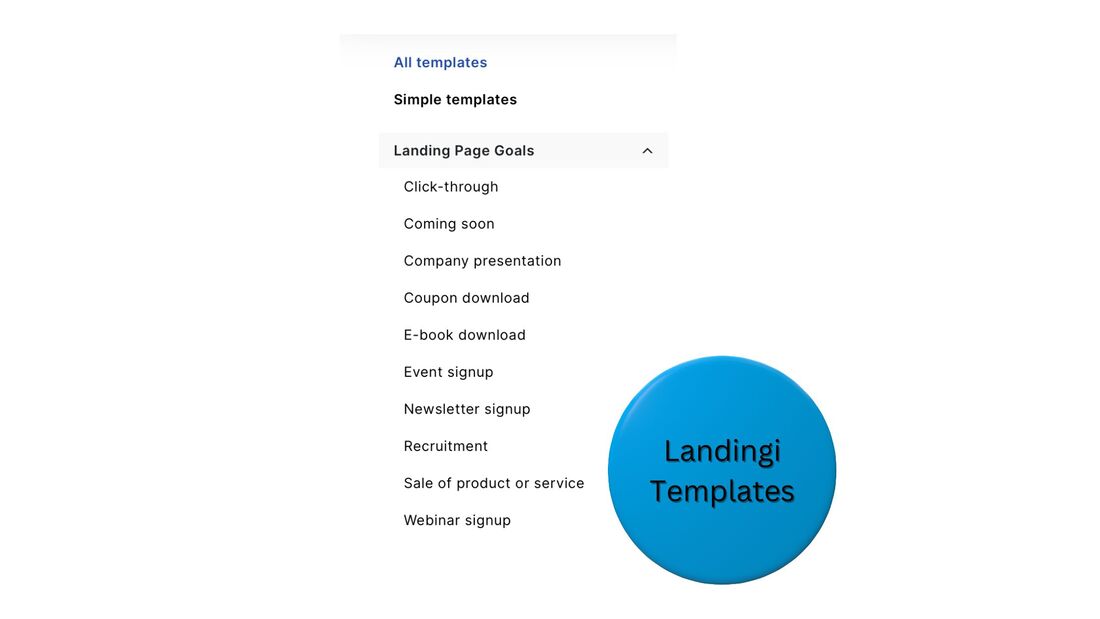 Landingi - who is it not for?Landingi is not for companies that want to do all of their online marketing on one platform. It is a specialized tool for landing pages. However, due to its narrow focus, it is more affordable than all-in-one platforms. And, it syncs with many other tools. Though you can't manage an end-to-end marketing strategy just on Landingi, you can use it as a key element of your strategy, alongside partner systems. Landingi - core features
Do you want to increase leads and sales for your business? You have nothing to lose giving Landingi a try. Landingi - integrationsMarketing toolsWhen you collect lead information with Landingi - like names, email addresses, and phone numbers - you can instantly send it to your CRM or email-marketing platform. Some top-tier marketing platforms that sync with Landingi: Payment processorsYou can sell products directly from Landingi pages if you integrate your account with a payment-processing partner. Choose from:
Landingi - pricing
Landingi offers a 14-day free trial and 30-day money-back guarantee. Landingi - frequently asked questionsWhy do people use landing pages?People use landing pages for two major reasons - to collect more leads or sell more products. A landing page is a specialized web page that encourages visitors to submit their email address, becoming a lead, or purchase a product. What makes the best landing pages?The best landing pages have a high conversion rate, ie, they convince many visitors to complete an action on the page, typically filling out a lead form or buying a product. Various factors can improve conversion rate, such as a catchy headline, testimonials, and a limited-time offer. How much should a landing page cost?Landing page templates, and the ability to customize them, can be accessed with a subscription to a landing page builder service, which typically costs anywhere from $30 to $300 per month. Prices vary based on how many other marketing tools a platform offers. Should I build a landing page or website?For strong marketing results, you should build a website for your business and create dedicated landing pages for specific offers. Though landing pages are great for generating leads and sales, they can't do everything a website can. Can I build a landing page for free?Yes, you can build a landing page for free. Certain landing page tools, like Landingi, offer a free plan. However, free plans tend to have low limits on the number of pages you can create and the number of visits they can receive each month. How do I get people to my landing page?You can pay to get people to your landing page with ads on platforms like Google and Facebook, or drive free, organic traffic with social networks and email marketing, among other sources. Try Landingi freeReady to start increasing leads and sales? Begin your free Landingi trial: This post contains affiliate links. Thrive Themes Review [Read This Before Deciding] Are you looking to create and grow an online business on WordPress? Thrive Themes provides a suite of tools that can help you launch a great site, generate leads, and convert those leads into paying customers. This package of plugins can be a great choice for many businesses. With this Thrive Themes review - where I go over features, integrations, and pricing - find out if it's right for you.  Thrive Themes review - quick summaryThrive Themes instantly upgrades the website-builder tool that comes with WordPress, and offers you many plugins to optimize an online sales funnel, which you can use without programming or graphic-design experience. Plus, Thrive is very affordable. Plans start at less than $25/month. You can try Thrive risk-free, with a 30-day, money-back guarantee: Thrive Themes - who is it for?Thrive is for anyone who wants to start an online business on WordPress, and gain access to individual or bundled marketing-funnel plugins. You can use Thrive to market and sell digital or physical products. It directly integrates with WooCommerce, making it a fit for e-commerce stores of any size. A single-business plan is offered, which you can use for up to 5 websites. An agency plan is also an option, usable for up to 50 sites. Thrive Themes - who is it not for?Thrive is not for businesses that want to launch an online presence outside of WordPress. Thrive Themes - core featuresWebsite builderThrive Theme Builder lets you launch a website in less than 15 minutes, with responsive design. It provides many pre-optimized templates for your site's pages, and a visual, drag-and-drop editor that lets you easily customize any page with content blocks. Create home pages, product pages, blogs, and more. 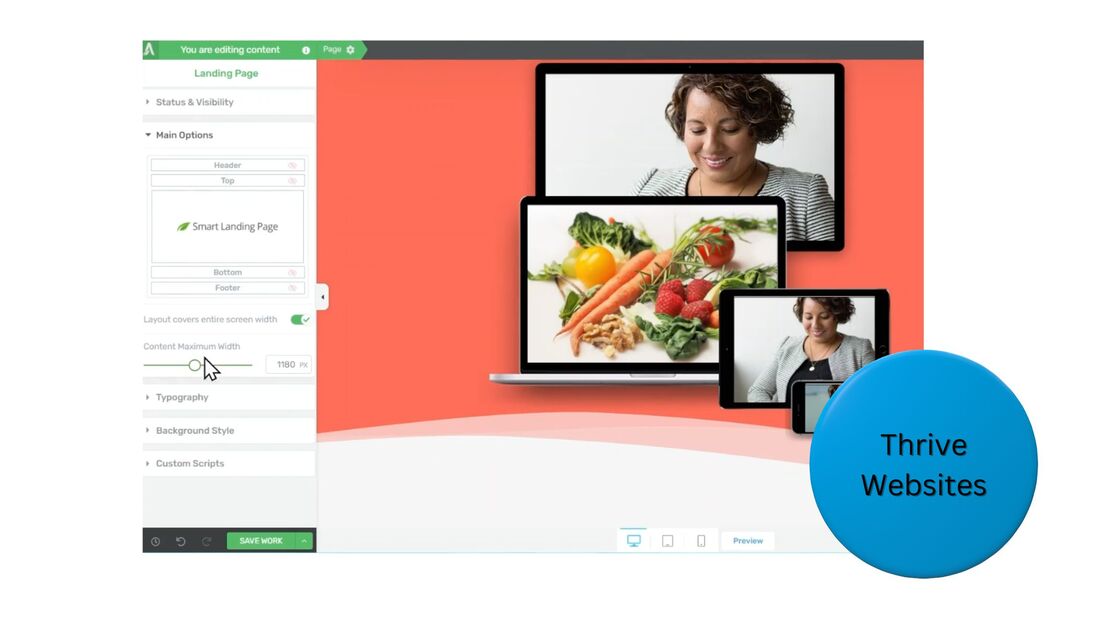 Landing pagesThrive Architect has a specialized library of over 200 landing page templates, pre-optimized for conversions, in addition to funnel packs, with landing, upsell, and confirmation pages. Easily A/B test whatever you build with Thrive Optimize. On your landing pages, generate leads or sell products. Lead forms sync with major CRM and email-marketing platforms, while product pages sync with WooCommerce, enabling you to process credit card payments online. 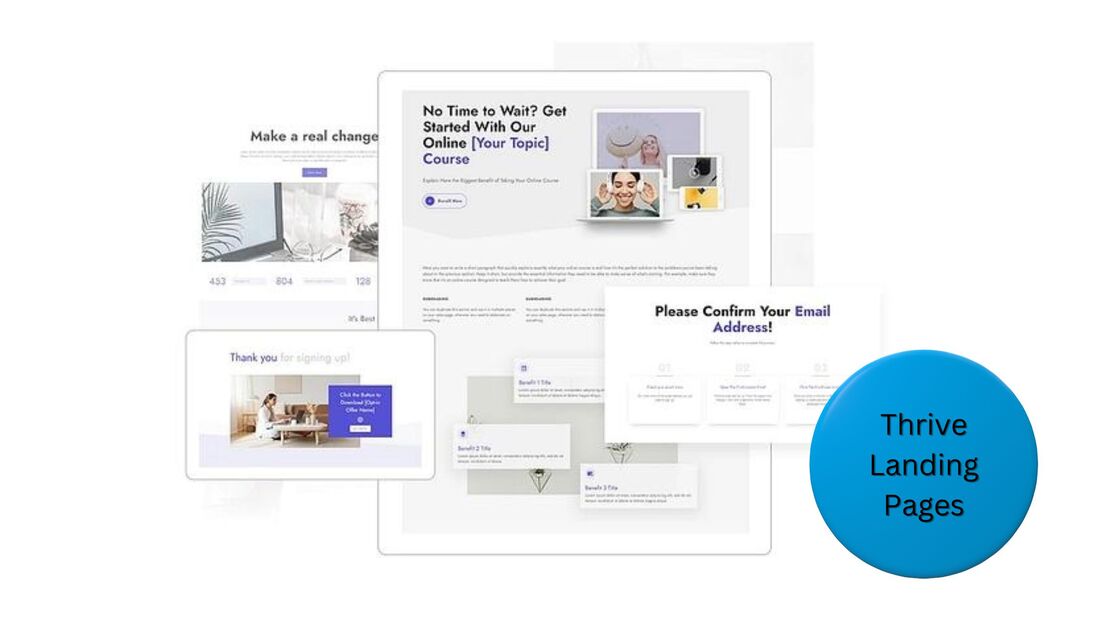 Think a Thrive website or landing page could help your business? You have nothing to lose with a risk-free trial. Lead formsThrive Leads lets you add a variety of targeted opt-in forms to any website page to help you collect more email addresses. Promote lead magnets with exit-intent popups, inline forms, and more. Grab your visitors' attention with your offers, and receive email addresses in exchange for digital content. 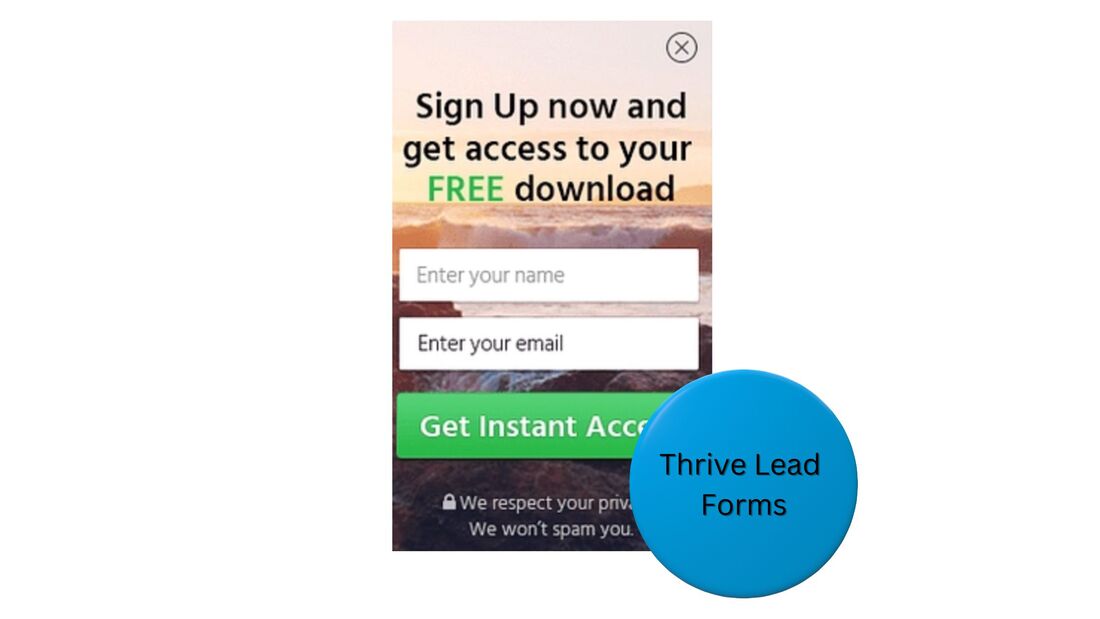 Quizzes and surveysWith Thrive Quiz Builder, create quizzes and surveys with business goals in mind. The answers people submit can segment them into prospect groups and help you sell them relevant products. Since participants frequently share quizzes and surveys on social media, they can drive free traffic to your site, too. 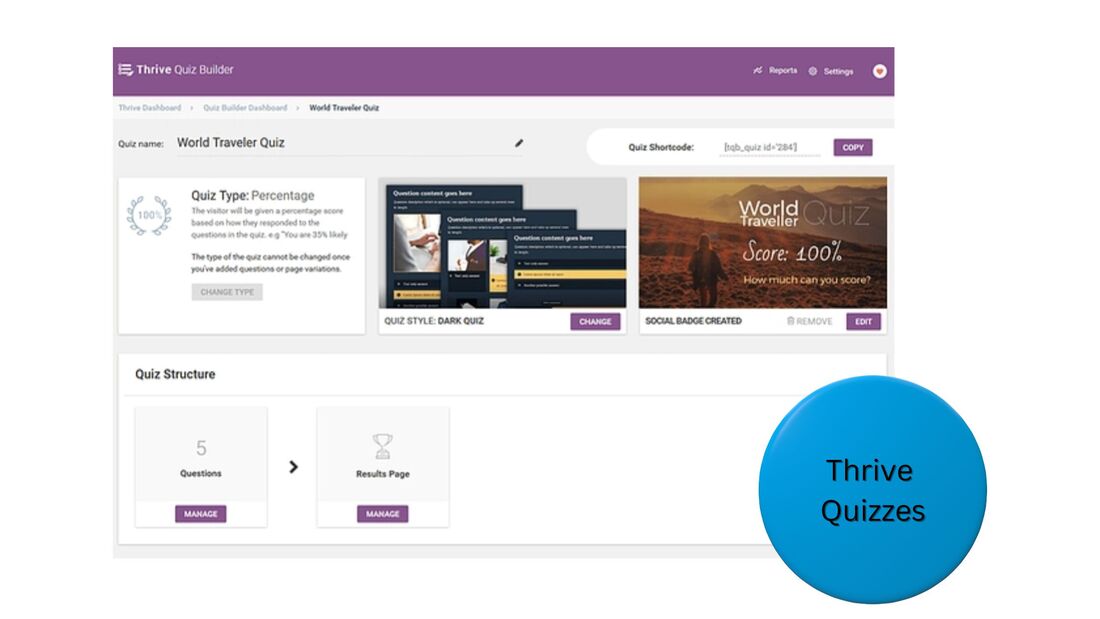 Courses and membershipsIf your business plans to sell online courses, or access to premium membership content, you can use Thrive Apprentice to create the material, market it, deliver it, and manage enrollments. 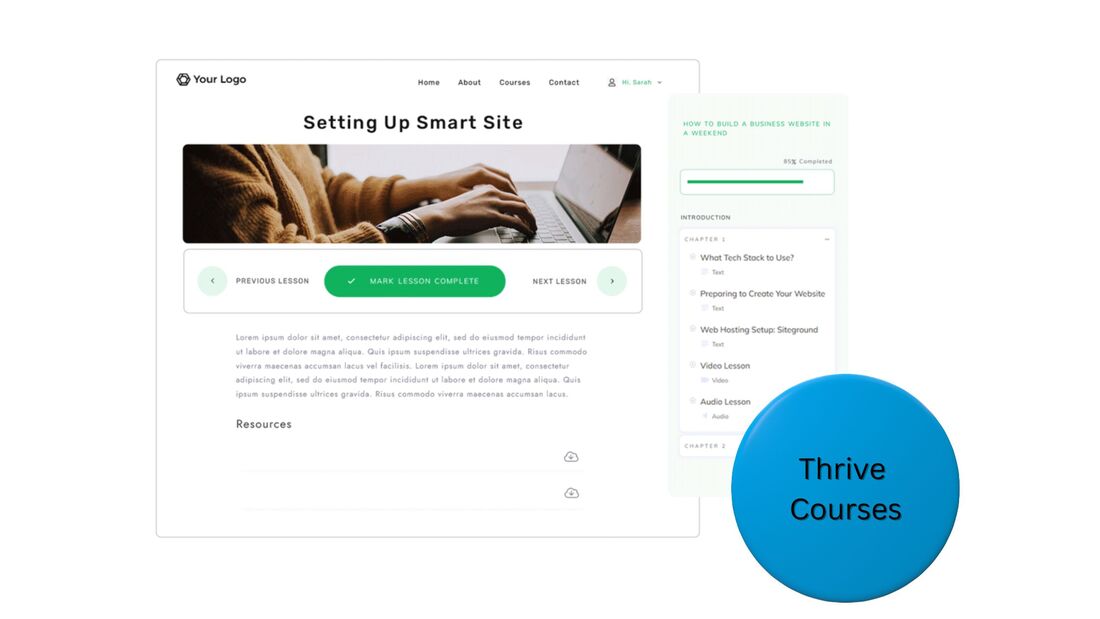 Thrive Themes - additional features
Thrive Themes - integrationsThrive has direct integrations with leading tools for email marketing, CRM, and more, such as: In addition, sites or pages built with Thrive also work with WordPress's gigantic selection of plugins from other software providers. Thrive Themes - pricingThrive's plugins can be purchased individually for $49 - $149 per year, and be used on 1 site. However, for a very low price, you can buy access to Thrive's entire suite of digital tools, and use them on up to 5 sites.
If you just need 1-2 specific tools, go ahead and get them. However, if at least 3 tools seem appealing to you, the full-suite purchase can make sense. For the vast majority of cases, I'd recommend you get the full suite. Thrive for agencies, usable on up to 50 sites, is $599 per year. To learn more about the purchase options, and start taking advantage of the risk-free, 30-day trial, just visit the Thrive site: Thrive Themes - frequently asked questionsWhat is the difference between Thrive Theme Builder and Thrive Architect?Thrive Theme Builder provides templates and a visual editing tool to build a website, while Thrive Architect provides templates and a visual editing tool for creating landing pages, a specialized type of page to collect lead information or sell a product. Is Thrive a good company?Yes, Thrive is a good company. They offer a suite of plugins to launch a high-converting marketing funnel, at a very affordable price. Tens of thousands of businesses use Thrive to manage their websites, lead forms, and more. Is Theme Builder free?No, Thrive Theme Builder is not free. However, you can try it risk-free with a 30-day, money-back guarantee. After the trial period, you can purchase Thrive Theme Builder for a very affordable price, just $99 per year. What are the cons of Thrive Architect?Thrive Architect is a great plugin for creating high-converting landing pages at a very affordable price, but the tool can only be used on WordPress, and does not have its own systems for email marketing or payment processing. However, Thrive easily integrates with providers of these services. Try Thrive Themes risk-freeIf you're looking to build an online business on WordPress, you have nothing to lose taking advantage of the 30-day, money-back guarantee from Thrive Themes: This post contains affiliate links. vidIQ vs. TubeBuddy [Read This Before Deciding]Are you looking to grow your YouTube channel? Tapping into the right analytics can boost your views and subscriber count. In this article, I compare the features and pricing of the two best YouTube analytics tools available - vidIQ vs. TubeBuddy. Find out which is a better fit for you.  vidIQ vs. TubeBuddy - quick takeawayvidIQ and TubeBuddy both have great analytics. Though both also offer strategy sessions from human YouTube experts, vidIQ gives you more. If you just want quality data, choose whichever platform you find has a better interface. But, if on-demand, 1-on-1 strategy calls seem appealing, go with vidIQ. You can begin using either platform on a free plan. I recommend you try both and get a feel for their interfaces to see which you prefer.  vidIQ vs. TubeBuddy - key software featuresBoth systems have various features through their browser extensions and web portals that help you pick topics for your videos that have a large potential audience, and optimize your videos' metadata for YouTube SEO and discoverability. The tools work for long-form YouTube videos and YouTube Shorts. They're designed for individual channel owners, companies with channels, and marketing agencies that manage the channels of multiple clients. vidIQ and TubeBuddy each have these central capabilities:
Do these features seem like they could help you create more popular YouTube videos? Then try the free versions of vidIQ and TubeBuddy and see which you like better. 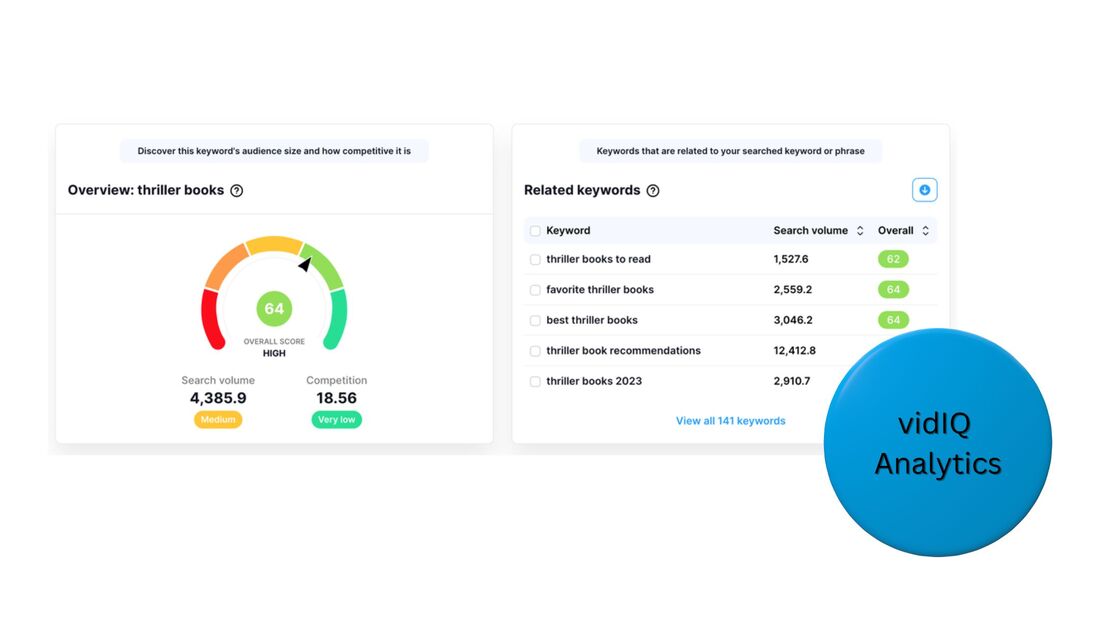 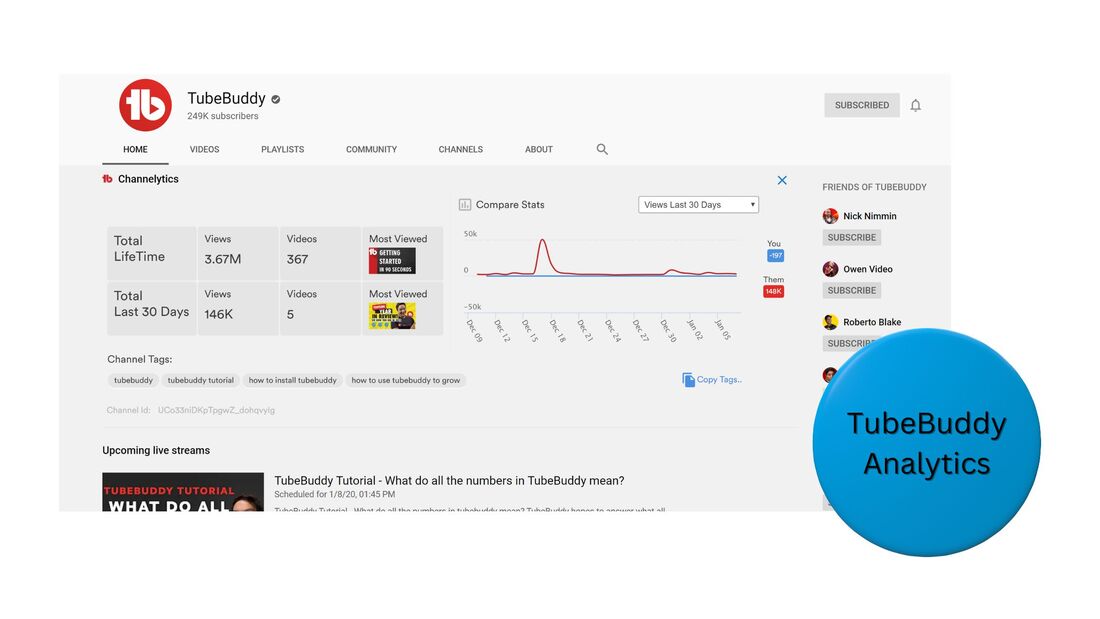 vidIQ vs. TubeBuddy - strategic supportvidIQ and TubeBuddy both offer human support on their products. Each platform also gives you human-led strategic support for growing your YouTube channel, provided by an expert. Users who sign up for the TubeBuddy Enterprise plan get access to quarterly strategy meetings with YouTube experts. However, users who sign up for the vidIQ 1-on-1 Coaching plan get access to a deeper level of strategic support:
Though personalized, strategic support can be helpful for YouTube channels of any size, it can be particularly beneficial for small channels that are still trying to understand the nuances of YouTube and how they can find an effective focus within their vertical. If you feel on-demand human help on strategy could have a big impact on your channel, then sign up for vidIQ and give its 1-on-1 Coaching plan a try. If quarterly strategy sessions seem sufficient, then TubeBuddy can be the choice for you. vidIQ vs. TubeBuddy - pricingvidIQ pricing
TubeBuddy pricing
vidIQ vs. TubeBuddy - frequently asked questionsDoes TubeBuddy get you more views?Though simply adding your YouTube account to TubeBuddy won't get your existing videos more views, the data insights TubeBuddy provides can guide you toward creating new videos with high reach potential. These videos can possibly get your channel many more views. What are the disadvantages of TubeBuddy?The TubeBuddy free plan has very limited features. Though the paid plans have extensive tools and insights, they lack the level of human, strategic support offered by vidIQ, the leading TubeTubby alternative. Is TubeBuddy premium worth it?If you want to grow your YouTube channel, then yes, TubeBuddy premium is worth the modest cost. Premium plans start at just $6 per month. Video-creation insights from TubeBuddy can help your channel earn money from sponsorships and other opportunities. Why should I use TubeBuddy?TubeBuddy provides data-backed insights that can help you create videos that generate a lot of views on YouTube. High visibility at the top of a digital funnel can turn into more leads and increased sales. Plus, popular YouTube channels can generate ad and sponsorship income. Does TubeBuddy help with Shorts?Yes, TubeBuddy can help you analyze and create YouTube Shorts. The data insights that TubeBuddy provides are applicable to long-form videos and Shorts. TubeBuddy also has a Suggested Shorts feature that recommends how you can split long-form videos into Shorts. This post contains affiliate links. Conversion Rate Optimization [9 Best Practices]Are you hoping to increase the amount of online leads or sales you generate? My 9 conversion rate optimization best practices can help. I'm an author who sells books and courses online. I've created many offers, on pages with different styles, elements, and layouts. And I've seen data on how hundreds of thousands of visitors have interacted with those offers. These tips reflect what's worked best.  1.) Highlight a specific benefit Conversion rate mostly refers to the percentage of visitors who buy a product or fill out a lead form online. Whether you're promoting a paid product, or a free lead magnet, the first thing you should do is create a dedicated landing page for your item. To design landing pages, I recommend you use a tool that comes with a library of pre-designed, pre-optimized templates. Here are some recommended providers. Your page's headline is critical. It shouldn't simply state what your product is, or highlight a key feature. Instead, it should focus on a key benefit, ie, a way in which a person's life will improve if your offer were claimed. 3 examples of headlines about a feature vs. a benefit:
The versions on the right, focused on a benefit, would be better for conversion rate optimization (CRO). This is not to say that you should avoid discussing product features on landing pages. However, avoid this at the very top, ie, with the headline. Once you've hooked prospects emotionally with a great headline, they'll want to learn more about your offer before making a decision on it. As they scroll down the page, they'll make a shift from assessing it emotionally to cerebrally. Features, pricing, and delivery are key areas they'll want to learn about. Convey your information lower on the page. No need to get everything exact right away. Testing is an important part of conversion rate optimization. A/B test text, images, layouts, etc, and look for improvements on results. If something works, keep it. If not, try something else. 2.) Keep your offer clear and concise Though landing page visitors will assess your offer cerebrally, they often do so quickly. Instead of analyzing every nuance of your page, they'll try to create a snapshot of what's most important to them, then make a decision off that. If your communication is even a bit confusing, or a bit long, you can interrupt this quick scan visitors do, which can cause many to leave, hurting your conversion rate. You want to get across the core information of your offer in a clear, concise way, toward the top of your page, just under the headline. Answer these two questions:
3.) Stack your offer Your conversion rate should increase if your offer promises to give more than it asks for. Look at how much more appealing the versions of this offer progressively become to a prospect:
4.) Structure your page around one CTA Hypothetically, a landing page with 10 different call to action (CTA) links could sound like a good idea. 10 offers vs. 1 would mean 10x the chance a visitor notices an offer that's appealing. However, promoting multiple items comes with a consequence - your message will become diluted. For your marketing copy to cover 10 different items on a single page, only a few lines could be given to each, not enough to properly excite and educate prospects into converting. Or, you could go into depth on all 10, which could result in a page that's ridiculously long and turn visitors away. Instead, choose a single item and construct your page around driving conversions for it. Prospects won't need to spend time figuring out which offer to click. A single offer makes a decision simple. Plus, your page will have enough room to effectively excite and educate. 5.) Make your CTA buttons easily accessible When visitors arrive on your landing page, a CTA button should automatically be visible above the fold, ie, no scrolling necessary to see it. This state should be the case on both the desktop and mobile versions of your website. When visitors do scroll down your page, to learn more about your product, this initial CTA button will disappear. You don't want your visitors to waste valuable seconds scrolling upward to find it once they've made a decision to get your offer. Instead, you want to be sure a button is either a very quick scroll away, or, even better, always visible:
6.) Give your offer a time limit Often, prospects come across your landing page from social media, email, or an ad. Various alternative pieces of content can be fighting for their attention, like someone else's Facebook post. To keep attention on your offer, you want to give them a reason to act on it now. Even if they like your product, and tell themselves they may "go back to it later, after some more scrolling on Facebook," other obstacles may get in the way and they'll never make it back. By the next day, your offer can be forgotten. An offer-expiration time can prevent this. It creates a sense of urgency. For example, a product that typically costs $75 can be offered for just $39, however, the deal expires in only 8 hours. The sooner the expiration is to now, the more effective. 7.) Surround your offer with credibility Brands are constantly talking about how great they are. Many prospects tune out a lot of this messaging, assuming it's slanted. However, when a person, or organization, that is not part of a brand, signals how great a brand is, prospects tend to pay attention. These third parties can infuse your brand with credibility. If you're trying to convert a visitor who isn't yet familiar with your brand, like a lead magnet prospect at the awareness stage of your funnel, third-party credibility is crucial. It can up conversions at the bottom of the funnel too. 5 examples of third-party credibility signals you can add to a landing page:
8.) Include an FAQ section As prospects weigh your offer, they'll begin forming a list of objections in their minds. For instance:
Possibly, you already have answers to many prospect objections. However, if those answers are not clearly displayed on your landing page, visitors may assume they've reached a dead end, leave the page, and never return. When you, or someone on your team, communicates with customers during sales interactions, what are objections you've heard? What are the most common? What answers have you provided that helped? Use that information to make an FAQ. Toward the bottom of your landing page, list out questions that refer to common objections. For each, give a brief answer that can help people realize they're not at a dead end. You may not be able to completely eliminate every objection, but you can give workarounds or justifications that reframe the decision for a prospect. For instance, if your product is expensive, you won't be able to convince people it isn't. However, you can enforce the idea that the product can earn a customer money over time, possibly much more than the cost. 9.) Make form completion simple Let's say you've done a great job putting together an appealing offer and promoting it. You've convinced a prospect to get it. The last step in the conversion process is the submission of an online form, either a lead form or purchase one. You want to make this step as simple as possible so you don't lose your prospect at this critical moment. Some guidelines to keep in mind:
SamCart is a great tool for enhancing your checkout process for conversion rate. To learn more, have a look at my review. Conversion rate optimization - frequently asked questionsHow do you optimize content for conversions?
Where do I start conversion rate optimization?To get started with conversion rate optimization, create a landing page dedicated to your offer. Various tools, like Leadpages, have pre-designed templates that are already pre-optimized for conversions. Customize the template for a paid product or free lead magnet. What tools do you use for optimizing conversion?Use a landing page tool for a pre-optimized template, then customize it. Once you start sending traffic to your page, use a tool like Google Analytics to track visits, and a CRM like HubSpot to track conversions. Experiment with traffic sources and content and measure the effect on conversion rate. How do you monitor conversion rate?To monitor conversion rate, track the number visits to the landing page for your offer, then track the number of visitors who claim your offer, ex, fill out a lead form or make a purchase. The percentage of visitors who claim your offer is your conversion rate. This post contains affiliate links. |
 RSS Feed