Leadpages vs. Instapage [Read This Before Deciding]Are you considering Leadpages vs. Instapage to build landing pages? In this article, I'll help you make your pick, covering the key differences in features and pricing. Though your choice should, of course, be based on features you need, it should also be based on those you don't. I'm going to help assure you're not paying for capabilities you're already getting elsewhere, or just have no use for.  Leadpages vs. Instapage - overall recommendationLeadpages and Instapage are both high-quality landing page builders, which can help you generate more leads and sales. Due to its lower price, Leadpages would be a better choice for more businesses. However, due to its dynamic personalization feature, Instapage can be worth the additional cost for businesses that invest in PPC advertising campaigns. Both platforms have a 14-day, free trial. I highly recommend you try both to see which you like better:  Leadpages vs. Instapage - featuresShared featuresThough they have differences, Leadpages and Instapage have many of the same, core features. Here's an overview of these capabilities... Landing page template library On both platforms, you can browse a library of pre-created landing page templates, already optimized for conversion rate. Sort the templates based on various filters, like page goal and industry. Any template can be customized with your brand's logo, colors, and advertising copy. 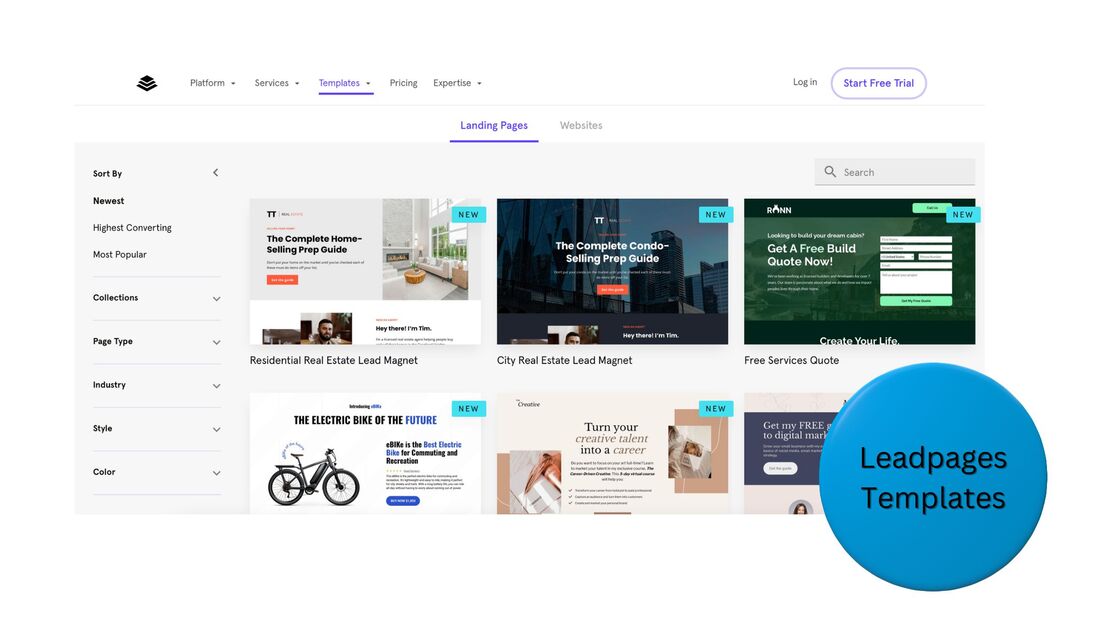  Drag-and-drop page building Whether you're starting with a template, or from scratch, both Leadpages and Instapage have a robust, drag-and-drop builder for landing pages and confirmation pages. Arrange and customize content blocks. Quickly create a great-looking page, even if you lack a background in computer programming or graphic design. Lead and e-commerce conversions Landing pages you create on Leadpages or Instapage can be aimed at generating leads or online sales. With lead-focused pages, visitors can fill out forms with their email address, name, etc, and you'd collect the information. With sales-focused pages, accept online credit card payments and sell products. Third-party integrations Landing pages are just one element of a business's marketing funnel. Leapages and Instapage have direct integrations with premier, third-party tools that address other funnel elements, such as CRM, email marketing, and commerce. Here are some software platforms Leadpages and Instapage sync with: Do you think these features can help your business? Take advantage of the 14-day, free trials from Leadpages and Instapage. Leadpages-specific featuresLeadpages has a handful of features Instapage lacks:
Instapage-specific featuresInstapage has a team-collaboration feature Leadpages lacks. However, the key difference between the platforms is Instapage's dynamic personalization for ads. It's aimed at increasing the ROI of pay-per-click (PPC) campaigns. If you happen to run high-volume PPC campaigns, this personalization feature can significantly boost the conversion rate of your ads, making Instapage a better choice over Leadpages, despite its higher monthly cost. Here's a closer look at the personalization feature... 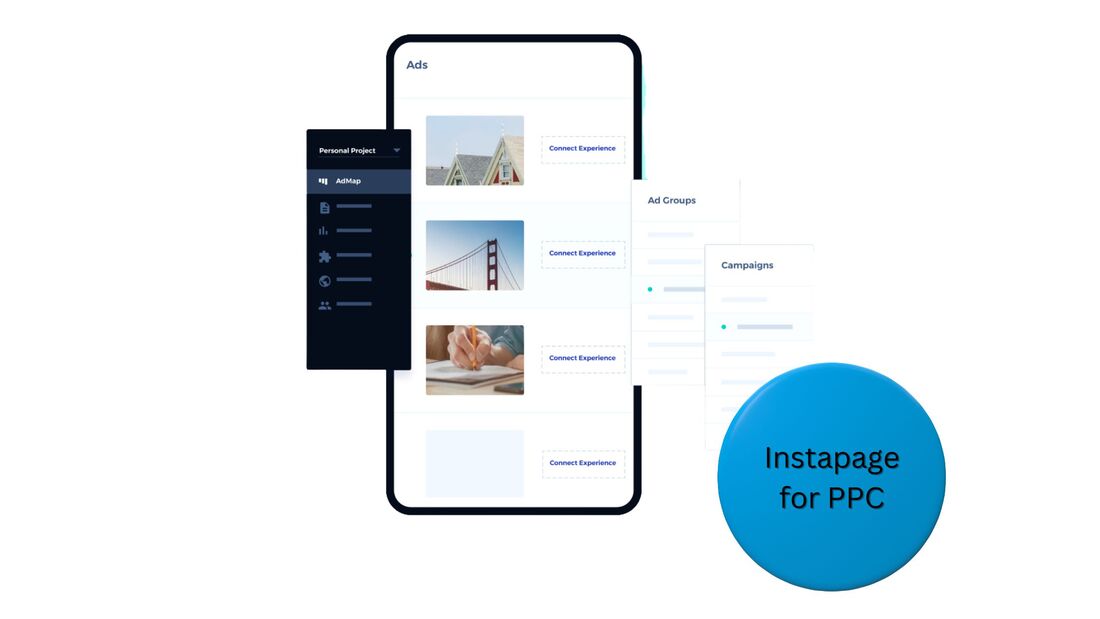 Step 1 - Associate landing pages with ad campaigns
Step 2 - Enable page content to dynamically change based on a clicker's context
Step 3 - Experience higher conversion rates and lower CPCs
Feature comparison table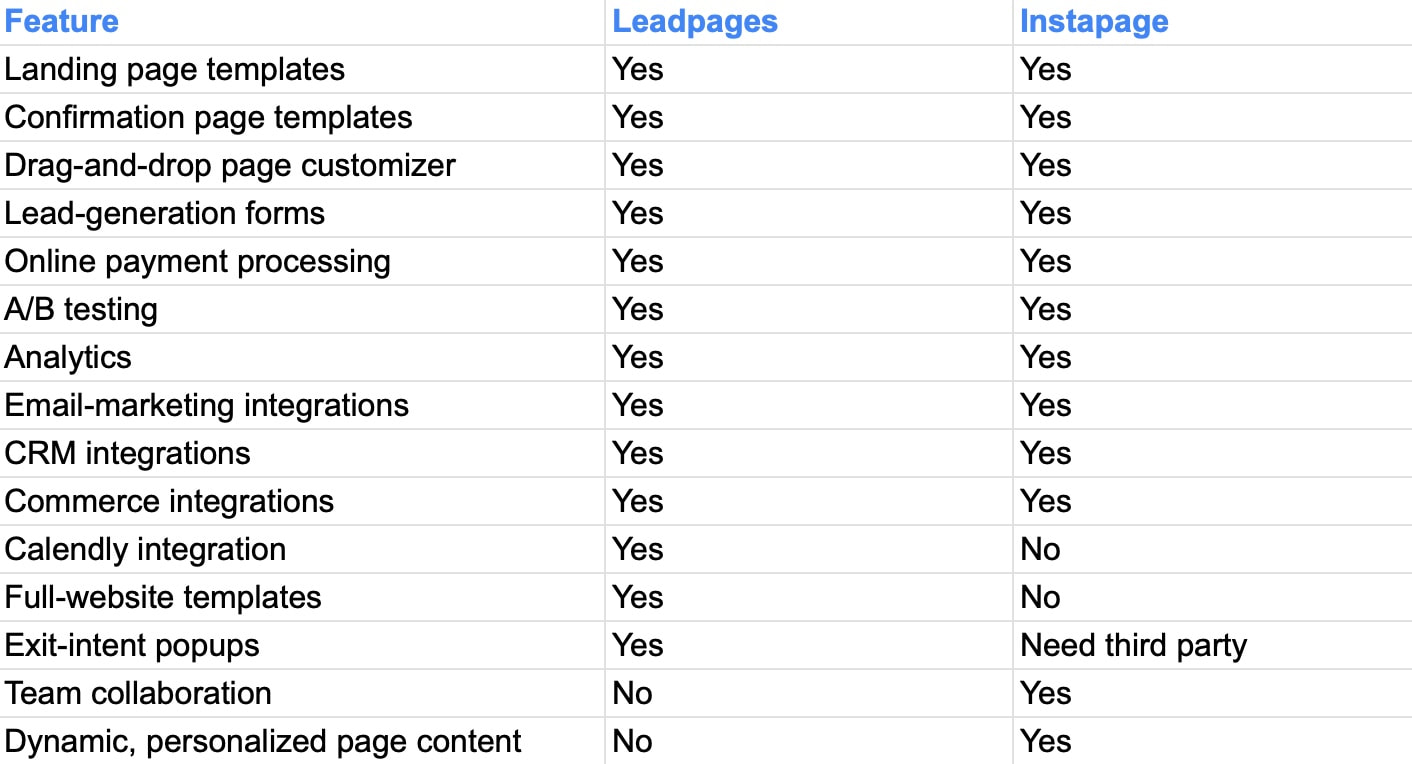 Leadpages vs. Instapage - pricingLeadpages pricing
The higher the price of a plan, the more features and larger limits it has. To learn more about each plan, visit the Leadpages site: Visit Leadpages Instapage pricing
The higher the price of a plan, the more features it has. To learn more about each plan, visit the Instapage site: Visit Instapage Leadpages vs. Instapage - frequently asked questionsWhat is better than Leadpages?Leadpages is a high-quality tool for funnel building, however, certain platforms, like Instapage, offer features Leadpages lacks. For example, Instapage can dynamically tailor the content of a landing page based on keywords entered in a search engine. Is Instapage worth it?If you run several thousand dollars, or more, of PPC ads per month, then yes, Instapage can be worth its cost, and potentially earn you a large profit. Instapage's technology automatically personalizes a landing page for people who visit it, which can boost its relevance and conversion rate. What is Instapage used for?Instapage is a tool for creating marketing funnels. You can build landing pages and connect them with a CRM or marketing automation platform. Instapage's page-personalization feature makes it particularly useful for businesses directing PPC traffic to landing pages. How much does Leadpages cost per month?The Leadpages Standard plan is $37/month, if paid annually, and $49/month, if paid monthly, while its Pro plan is $74/month, if paid annually, and $99/month, if paid monthly. Leadpages also offers an Advanced plan, which is custom-priced for custom features. Is Instapage free?No, Instapage is not free. However, Instapage does offer a 14-day, free trial. After the trial ends, the platform costs $199/month, if paid annually, or $299/month, if paid monthly. Instapage also has a custom-priced plan for custom features. Does Instapage work with Shopify?Yes, Instapage works with Shopify. You can sell items from your Shopify store via Instapage landing pages, accept online credit card payments for sales, and track and manage orders. Can you build a website with Leadpages?Yes, you can build a website with Leadpages. You can browse Leadpages' library of website templates, select one, and easily customize it via a drag-and-drop editor with your brand's content. Leadpages also gives you the option to just create landing pages. Can you sell products on Leadpages?Yes, you can sell products on Leadpages. Create a high-converting landing page for your product and accept online credit card payments for it, directly on your Leadpages landing page. Do you need a domain for Leadpages?No, you don't need your own domain for Leadpages. You can use a Leadpages sub-domain. However, if you do own a domain, you can easily connect it with Leadpages, and use it instead of the sub-domain. Ready to start boosting your conversion rate?Do you know which is a better fit for you, Leadpages vs. Instapage? Create your account today and begin your free trial. Still not sure which is better for you? Create an account on both platforms today, try them out for free, and make your choice. This post contains affiliate links.
0 Comments
Leave a Reply. |
 RSS Feed